Constructor arguments
How positional and keyword arguments are taken: radius, side length, coordinates, vectors, control points, and VGroup's variadic arguments.
This page lists 14 examples. The code is imported from corpus/examples/ctor/; the screenshots are end states rendered on real machines.
Circle positional argument (radius)
Two circles given only a radius differ in size; the radius values match the picture.
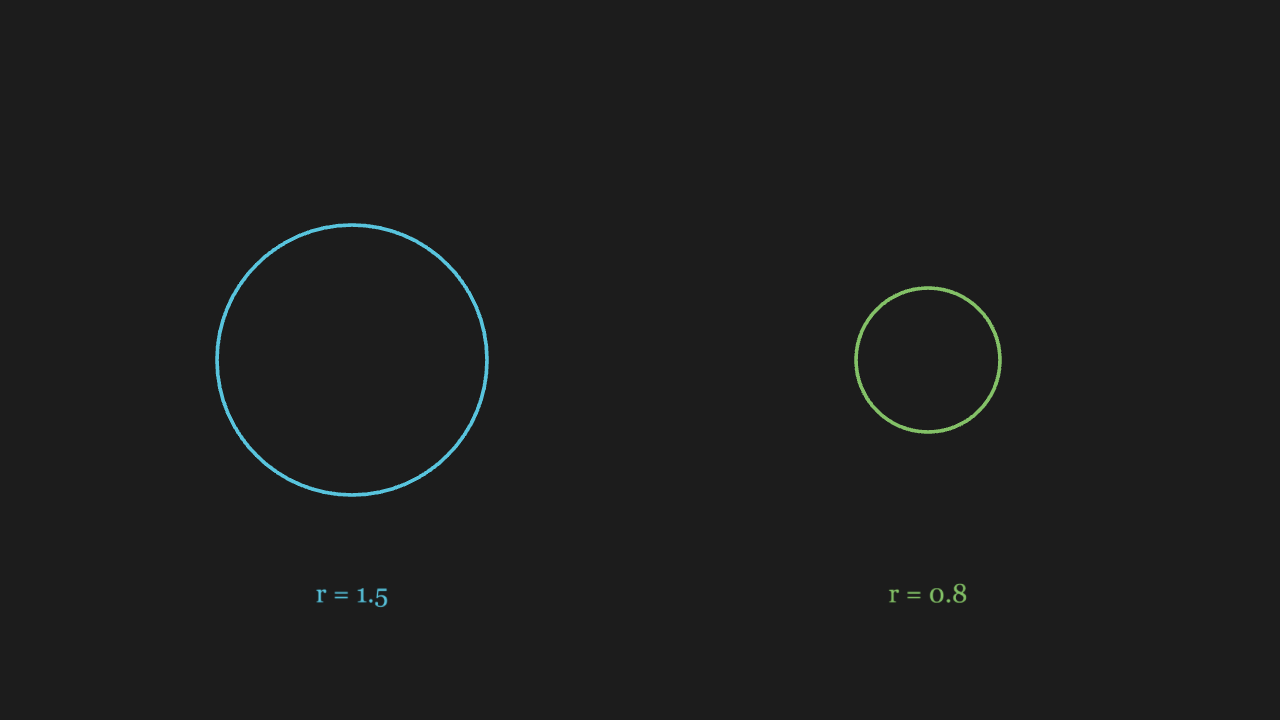
"""Circle 位置参数(半径)

@expect 两个只给半径位置参数的圆大小不同,半径值与画面一致。
@note CE 里 Circle(1.5) 比 Circle(radius=1.5) 更常见
"""

from manim import *


class CirclePositionalScene(Scene):
    def construct(self):
        # 第一个位置参数就是半径:1.5 与 0.8 两个圆大小不同
        circle_big = Circle(1.5, color=BLUE).shift(LEFT * 3.2)
        circle_small = Circle(0.8, color=GREEN).shift(RIGHT * 3.2)
        label_big = Text("r = 1.5", font_size=28, color=BLUE)
        label_big.move_to([-3.2, -2.6, 0])
        label_small = Text("r = 0.8", font_size=28, color=GREEN)
        label_small.move_to([3.2, -2.6, 0])
        self.play(Create(circle_big), Write(label_big),
                  Create(circle_small), Write(label_small))
        self.wait(0.3)
Square positional argument (side length)
Two squares given only a side length differ in size.
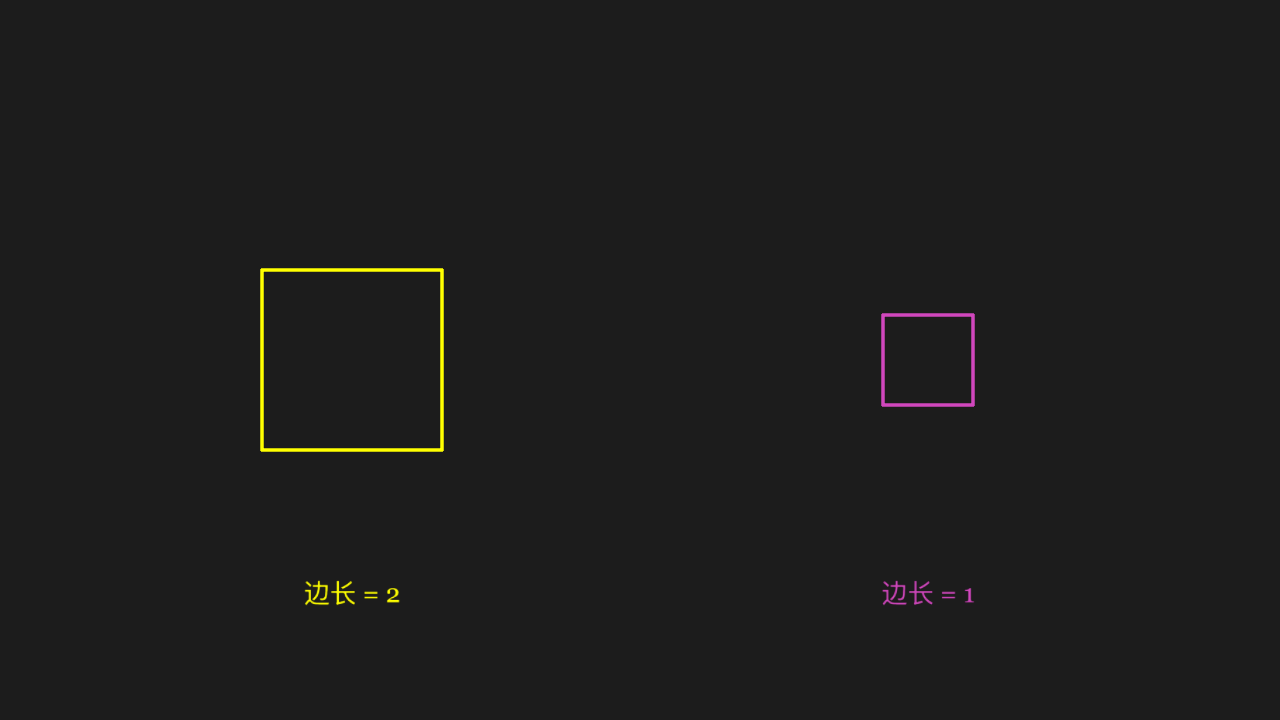
"""Square 位置参数(边长)

@expect 两个只给边长位置参数的方块大小不同。"""

from manim import *


class SquarePositionalScene(Scene):
    def construct(self):
        # 第一个位置参数就是边长:2 与 1 两个方块大小不同
        square_big = Square(2, color=YELLOW).shift(LEFT * 3.2)
        square_small = Square(1, color=PINK).shift(RIGHT * 3.2)
        label_big = Text("边长 = 2", font_size=28, color=YELLOW)
        label_big.move_to([-3.2, -2.6, 0])
        label_small = Text("边长 = 1", font_size=28, color=PINK)
        label_small.move_to([3.2, -2.6, 0])
        self.play(Create(square_big), Write(label_big),
                  Create(square_small), Write(label_small))
        self.wait(0.3)
Dot positional argument (coordinates)
The dot lands at the given coordinates, not at the default origin.
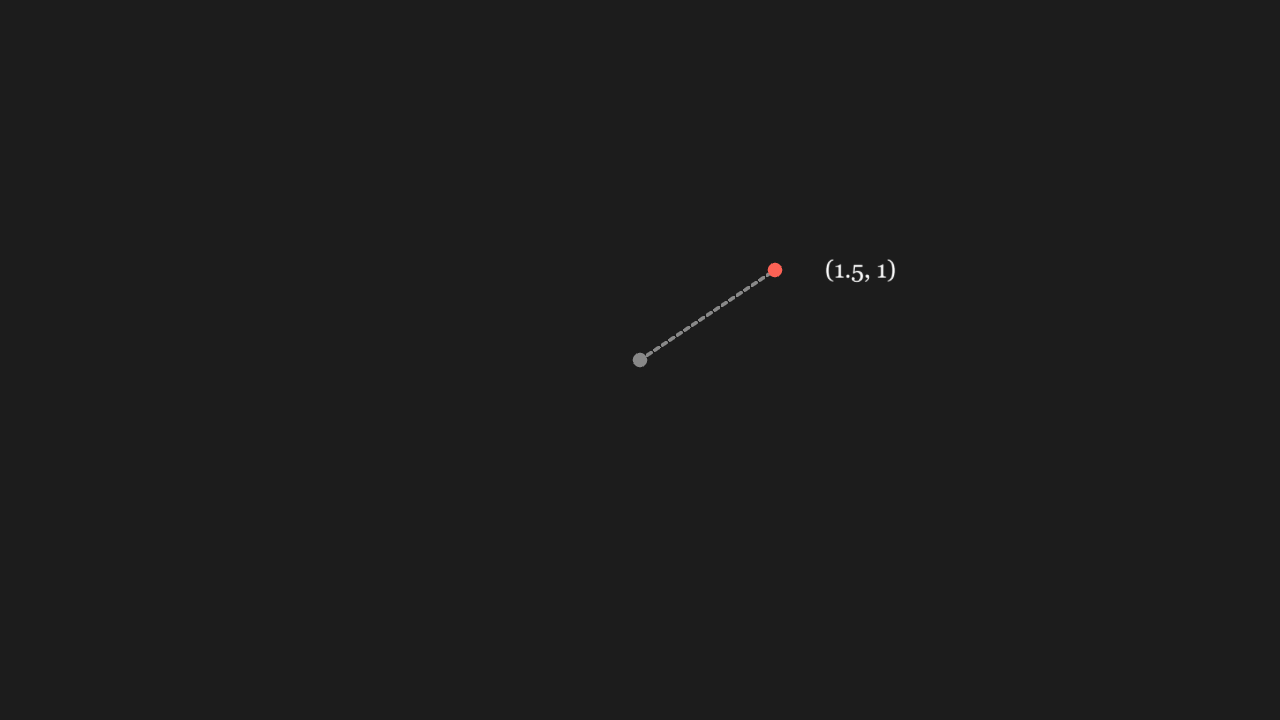
"""Dot 位置参数(坐标)

@expect 点落在传入的坐标处,不在默认原点。"""

from manim import *


class DotPositionalScene(Scene):
    def construct(self):
        dot = Dot([1.5, 1, 0], color=RED)
        # 原点灰点 + 从原点连到红点的虚线 + 坐标标注:红点确实落在 (1.5, 1) 而非原点
        origin = Dot(ORIGIN, color=GREY)
        guide = DashedLine(ORIGIN, [1.5, 1, 0], color=GREY)
        label = Text("(1.5, 1)", font_size=26)
        label.move_to([2.45, 1.0, 0])
        self.play(GrowFromCenter(dot), FadeIn(origin), Create(guide), Write(label))
        self.wait(0.3)
Text weight, style and size
Several Text runs differ visibly in weight, italics and font size.
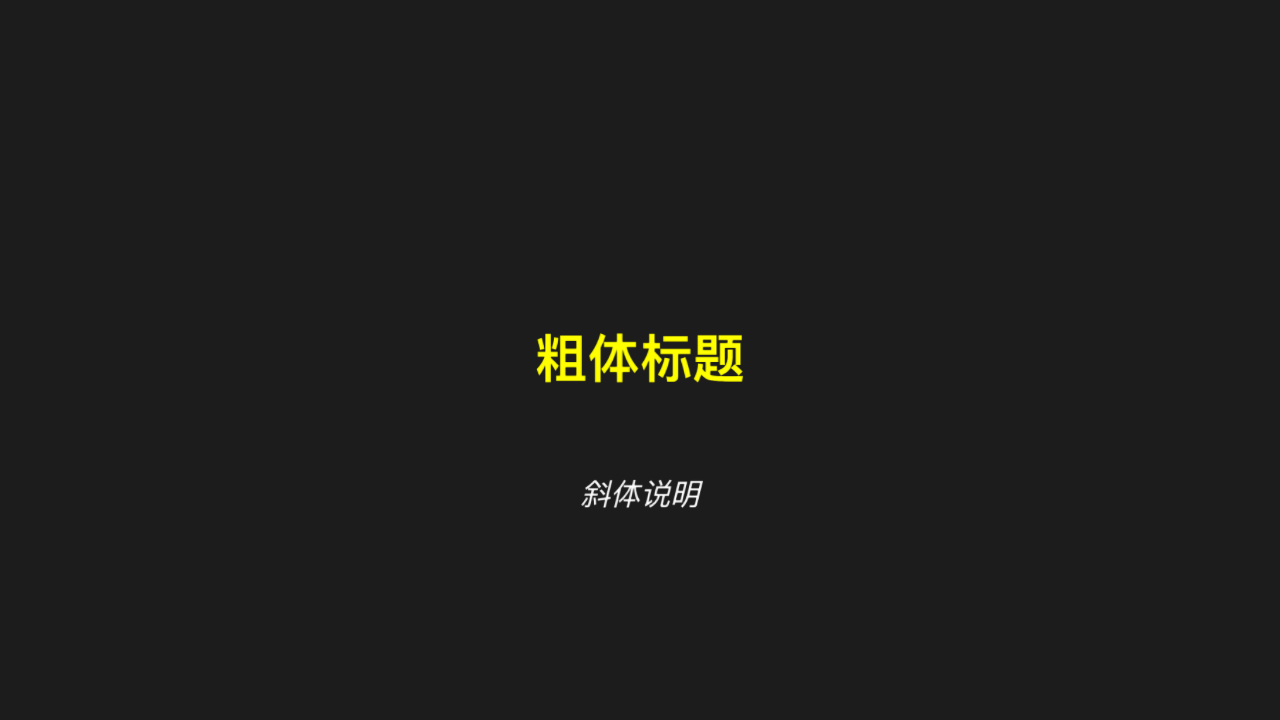
"""Text 字重、字形与字号

@expect 几段 Text 的字重 / 斜体 / 字号差异肉眼可见。
@note CE 的 weight / slant 在 manim-web 里叫 fontWeight / fontStyle(camel 推不出来)
"""

from manim import *


class TextKwargsScene(Scene):
    def construct(self):
        title = Text("粗体标题", font_size=56, weight=BOLD, color=YELLOW)
        note = Text("斜体说明", font_size=32, slant=ITALIC)
        note.shift(DOWN * 1.5)
        self.play(Write(title), FadeIn(note))
        self.wait(0.3)
Vector positional argument
One arrow whose direction and length match the vector passed in.
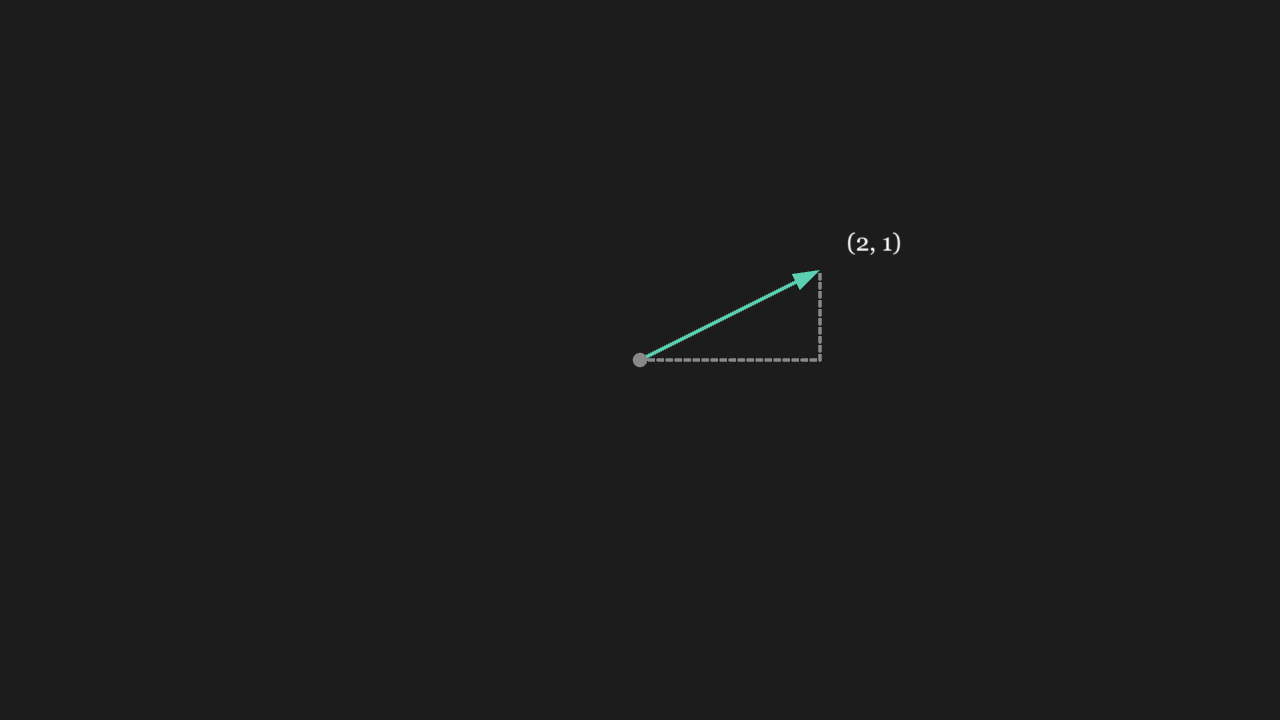
"""Vector 位置参数

@expect 一支箭头,方向与长度和传入的向量一致。
@note 2026-10-09 事故:Vector([...]) 当时报「位置参数暂不支持」
"""

from manim import *


class VectorScene(Scene):
    def construct(self):
        vec = Vector([2, 1, 0], color=TEAL)
        # 原点灰点 + 水平/垂直虚线勾出两个分量:方向与长度确实就是 (2, 1)
        origin = Dot(ORIGIN, color=GREY)
        along_x = DashedLine(ORIGIN, [2, 0, 0], color=GREY)
        along_y = DashedLine([2, 0, 0], [2, 1, 0], color=GREY)
        label = Text("(2, 1)", font_size=26)
        label.move_to([2.6, 1.3, 0])
        self.play(GrowArrow(vec), FadeIn(origin), Create(along_x), Create(along_y), Write(label))
        self.wait(0.3)
ParametricFunction positional argument
A curve drawn from the parametric equations; the shape matches them (neither a circle nor a line).
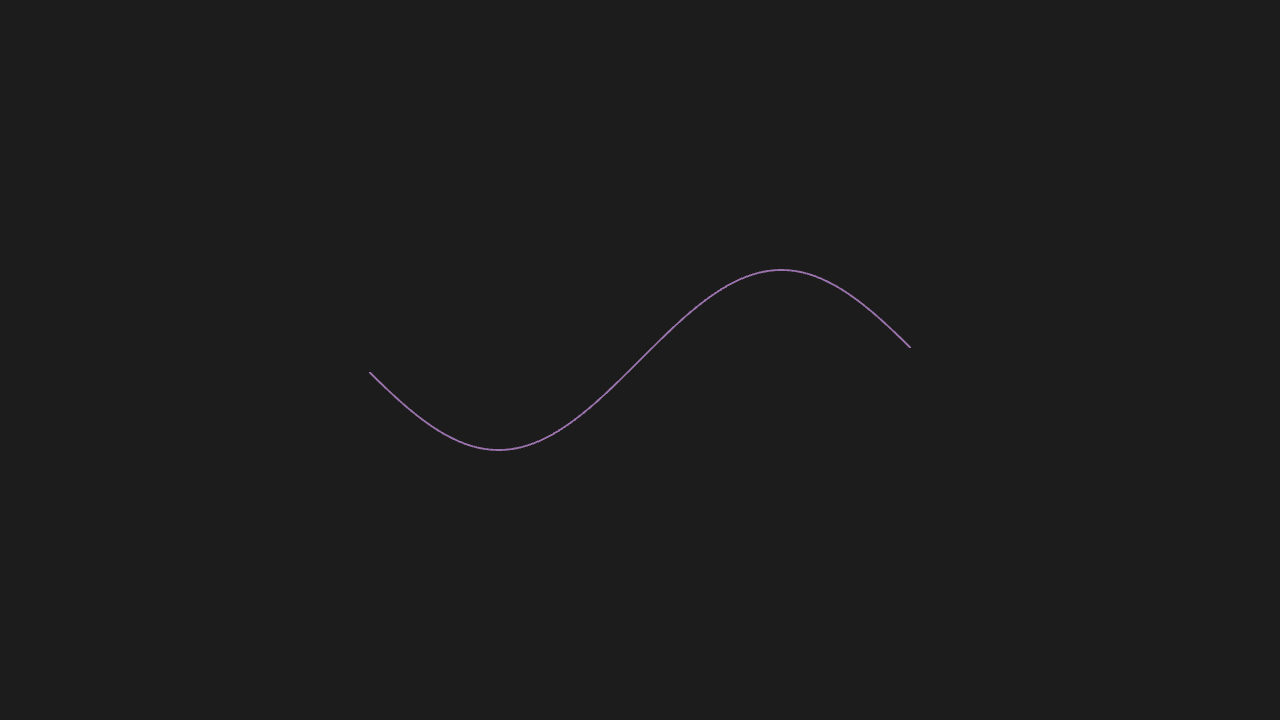
"""ParametricFunction 位置参数

@expect 按参数方程画出的曲线,形状与参数方程一致(不是圆也不是直线)。
@note 2026-10-09 事故:同上报「位置参数暂不支持」;func 是 Python 函数
"""

from manim import *


class ParametricScene(Scene):
    def construct(self):
        curve = ParametricFunction(lambda t: [t, np.sin(t), 0], t_range=[-3, 3, 0.2], color=PURPLE)
        self.play(Create(curve))
        self.wait(0.3)
FunctionGraph takes a function
The curve's shape matches the function passed in.
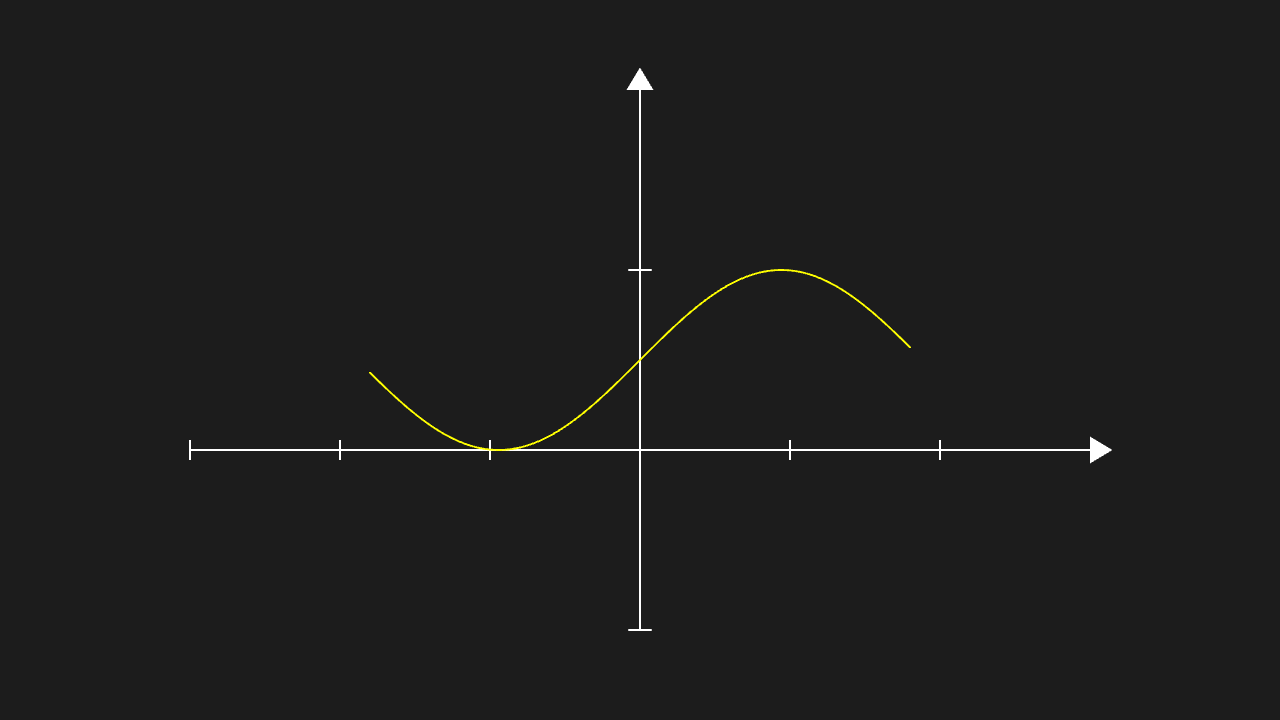
"""FunctionGraph 收函数

@expect 曲线形状与传入的函数一致。
@note CE 关键字叫 function,manim-web 叫 func(表里有 rename)
"""

from manim import *


class FunctionGraphScene(Scene):
    def construct(self):
        ax = Axes(x_range=[-3, 3, 1], y_range=[-1, 2, 1])
        graph = FunctionGraph(func=lambda x: np.sin(x), x_range=[-3, 3], color=YELLOW)
        self.play(Create(ax), Create(graph))
        self.wait(0.3)
RightAngle takes two lines
A right-angle mark (a small elbow) stands at the intersection of the two lines.
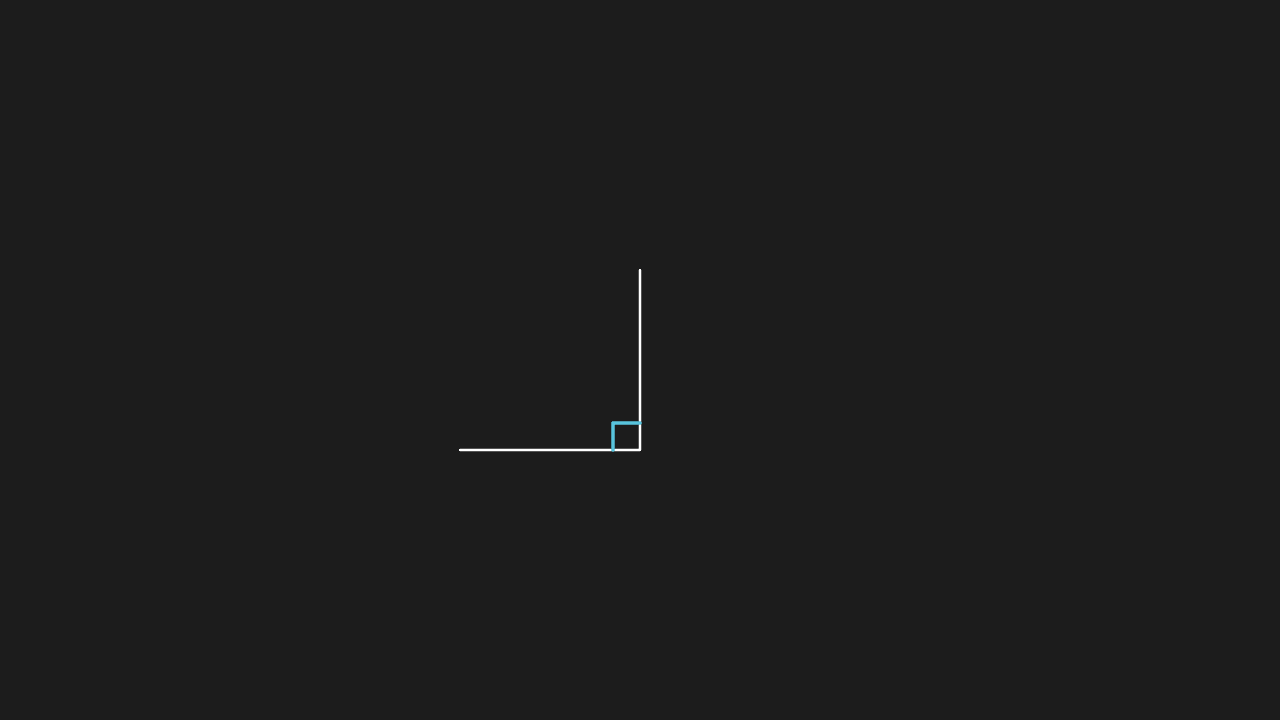
"""RightAngle 收两条线

@expect 直角记号(小折角)立在两条线相交的角上。
@note 2026-10-09 事故:两个错叠在一起——位置参数未登记 + line1 句柄没解析(getStart is not a function)
"""

from manim import *


class RightAngleScene(Scene):
    def construct(self):
        line1 = Line(start=[-2, -1, 0], end=[0, -1, 0])
        line2 = Line(start=[0, -1, 0], end=[0, 1, 0])
        right = RightAngle(line1, line2, length=0.4)
        self.add(line1, line2)
        self.play(Create(right))
        self.wait(0.3)
Angle takes three points
The arc opens across the angle determined by the three points; its opening matches the angle.
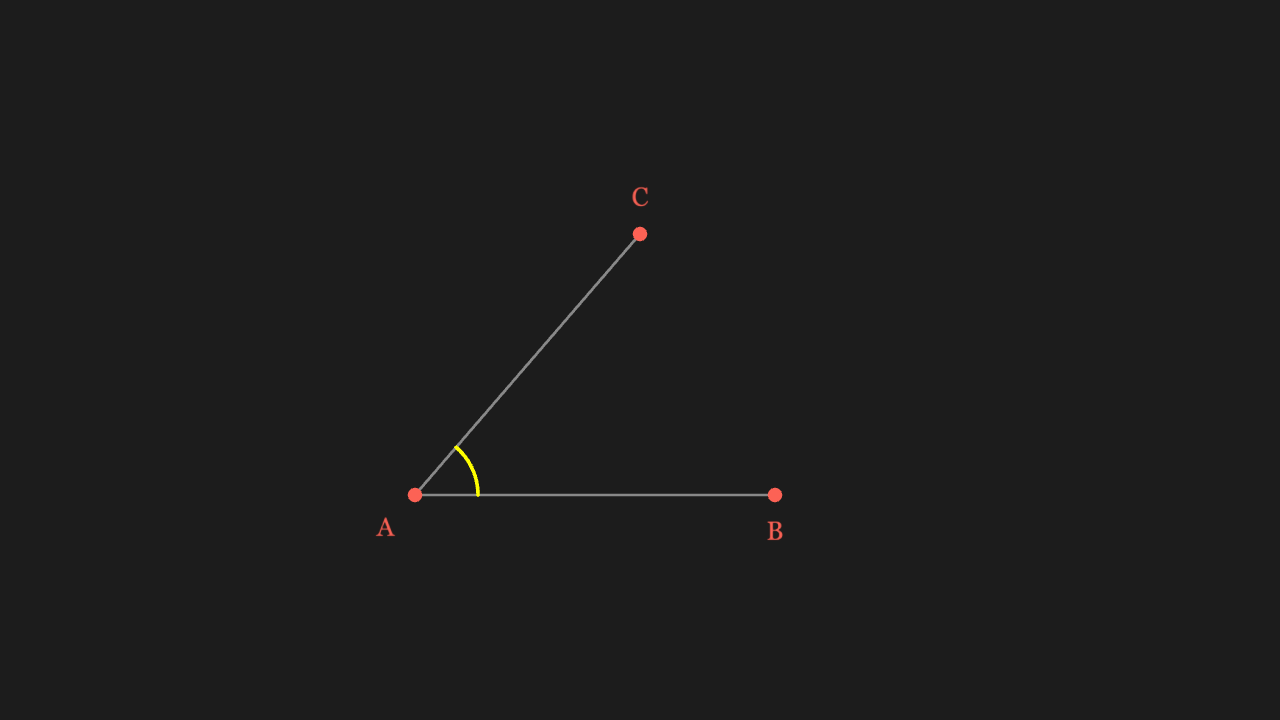
"""Angle 收三个点

@expect 圆弧贴着三个点确定的角张開,弧的开口与角一致。"""

from manim import *


class AnglePointsScene(Scene):
    def construct(self):
        # 三个点:A 是顶点,B、C 张开角的两条边;把点画出来才能核对「弧贴着角」
        a = [-2.5, -1.5, 0]
        b = [1.5, -1.5, 0]
        c = [0.0, 1.4, 0]
        line_ab = Line(a, b, color=GREY)
        line_ac = Line(a, c, color=GREY)
        # 三点定角:中间那个点是顶点(与 CE from_three_points 一致),故把 A 放中间
        angle = Angle([b, a, c], radius=0.7, color=YELLOW)
        dot_a = Dot(a, color=RED)
        dot_b = Dot(b, color=RED)
        dot_c = Dot(c, color=RED)
        label_a = Text("A", font_size=28, color=RED).next_to(dot_a, DL, buff=0.15)
        label_b = Text("B", font_size=28, color=RED).next_to(dot_b, DOWN, buff=0.15)
        label_c = Text("C", font_size=28, color=RED).next_to(dot_c, UP, buff=0.15)
        self.play(Create(line_ab), Create(line_ac), Create(angle),
                  FadeIn(dot_a), FadeIn(dot_b), FadeIn(dot_c),
                  Write(label_a), Write(label_b), Write(label_c))
        self.wait(0.3)
Brace takes one mobject
A brace hugs one side of the mobject, its length matching the mobject.
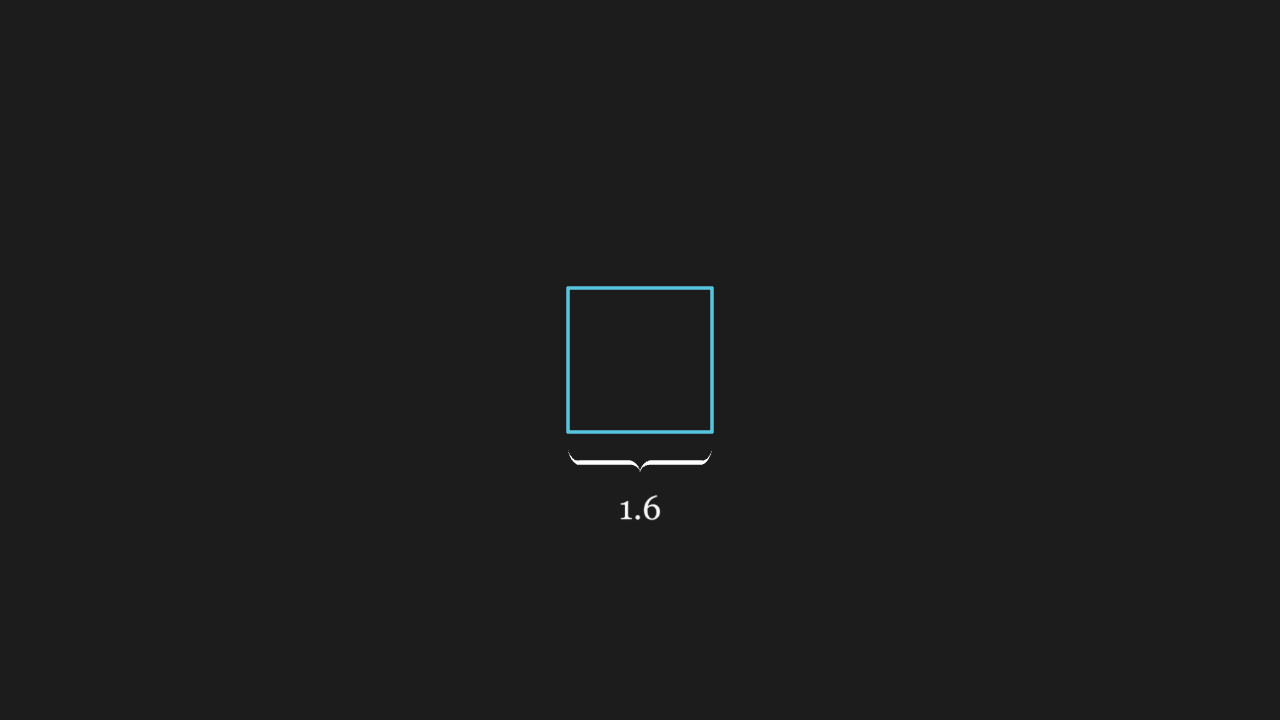
"""Brace 收一个物体

@expect 花括号贴在物体一侧,长短与物体相当。
@note 2026-10-09 事故:报错文案把 AI 推去写 Brace(mobject=...),结果整个 kwargs 被当成首个位置参数
"""

from manim import *


class BraceScene(Scene):
    def construct(self):
        square = Square(side_length=1.6)
        brace = Brace(square, buff=0.2)
        label = brace.get_text("1.6")
        self.play(Create(square), GrowFromCenter(brace))
        self.play(Write(label))
        self.wait(0.3)
BraceBetweenPoints takes two points
A brace spans the two points, aligned with their connecting line and scaled to their distance.
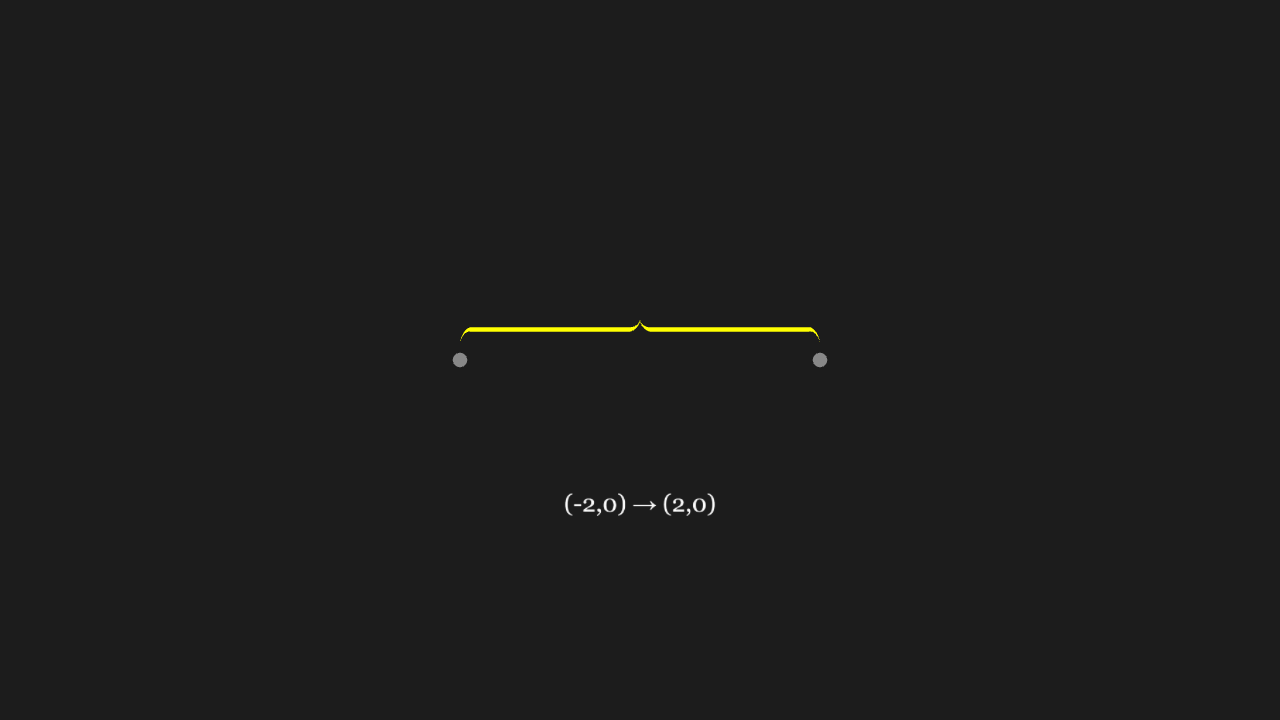
"""BraceBetweenPoints 收两点

@expect 花括号撑在两点之间,方向与两点连线一致、长短与距离相称。"""

from manim import *


class BraceBetweenScene(Scene):
    def construct(self):
        brace = BraceBetweenPoints([-2, 0, 0], [2, 0, 0], color=YELLOW)
        # 两端的灰点钉住括号撑开的位置,标注写明区间
        ends = VGroup(Dot([-2, 0, 0], color=GREY), Dot([2, 0, 0], color=GREY))
        label = Text("(-2,0) → (2,0)", font_size=26)
        label.move_to([0, -1.6, 0])
        self.play(GrowFromCenter(brace), FadeIn(ends), Write(label))
        self.wait(0.3)
CubicBezier takes four points
The curve follows a cubic Bézier through the four control points, with its endpoints on the first and fourth.
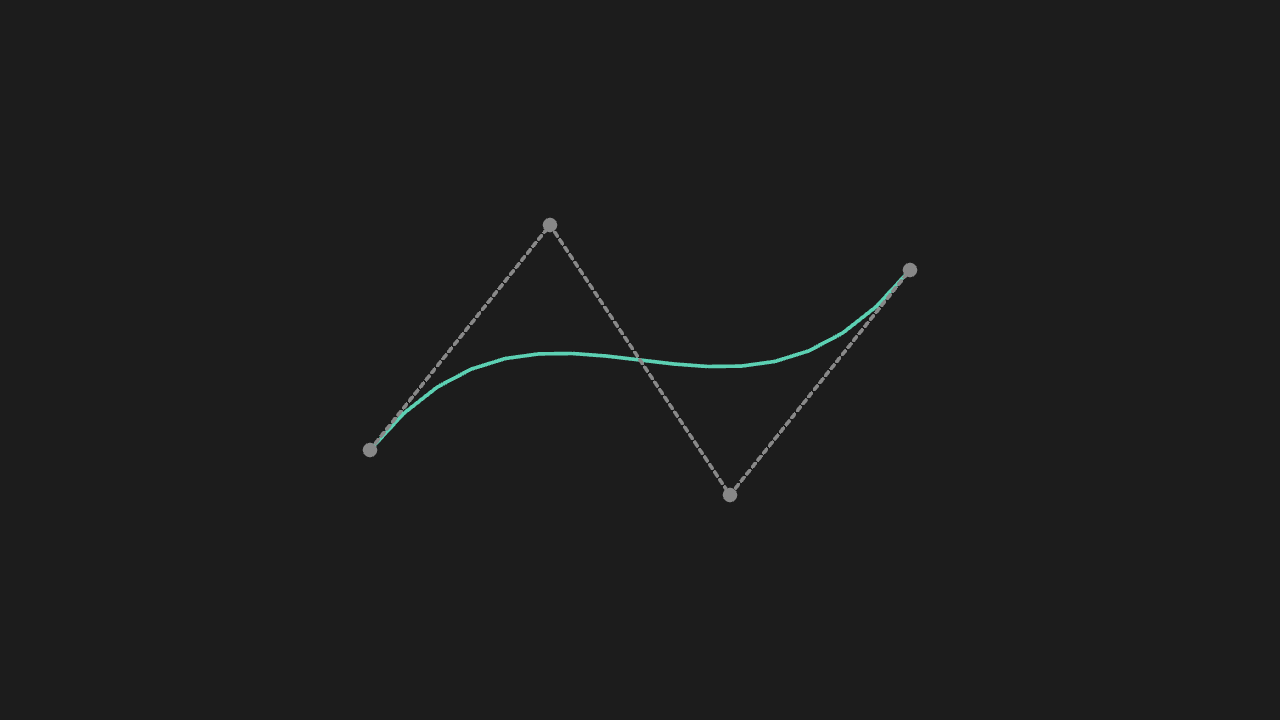
"""CubicBezier 收四个点

@expect 曲线按四个控制点走出三次贝塞尔的形状(起终点在第一、四个点上)。"""

from manim import *


class CubicBezierScene(Scene):
    def construct(self):
        points = [[-3, -1, 0], [-1, 1.5, 0], [1, -1.5, 0], [3, 1, 0]]
        bezier = CubicBezier(*points, color=TEAL)
        # 四颗灰色控制点 + 虚线控制多边形:曲线起终点压在第一、四颗点上
        dots = VGroup(*[Dot(p, color=GREY, radius=0.08) for p in points])
        hull = VGroup(
            DashedLine(points[0], points[1], color=GREY),
            DashedLine(points[1], points[2], color=GREY),
            DashedLine(points[2], points[3], color=GREY),
        )
        self.play(Create(bezier), Create(hull), FadeIn(dots))
        self.wait(0.3)
ValueTracker takes an initial value
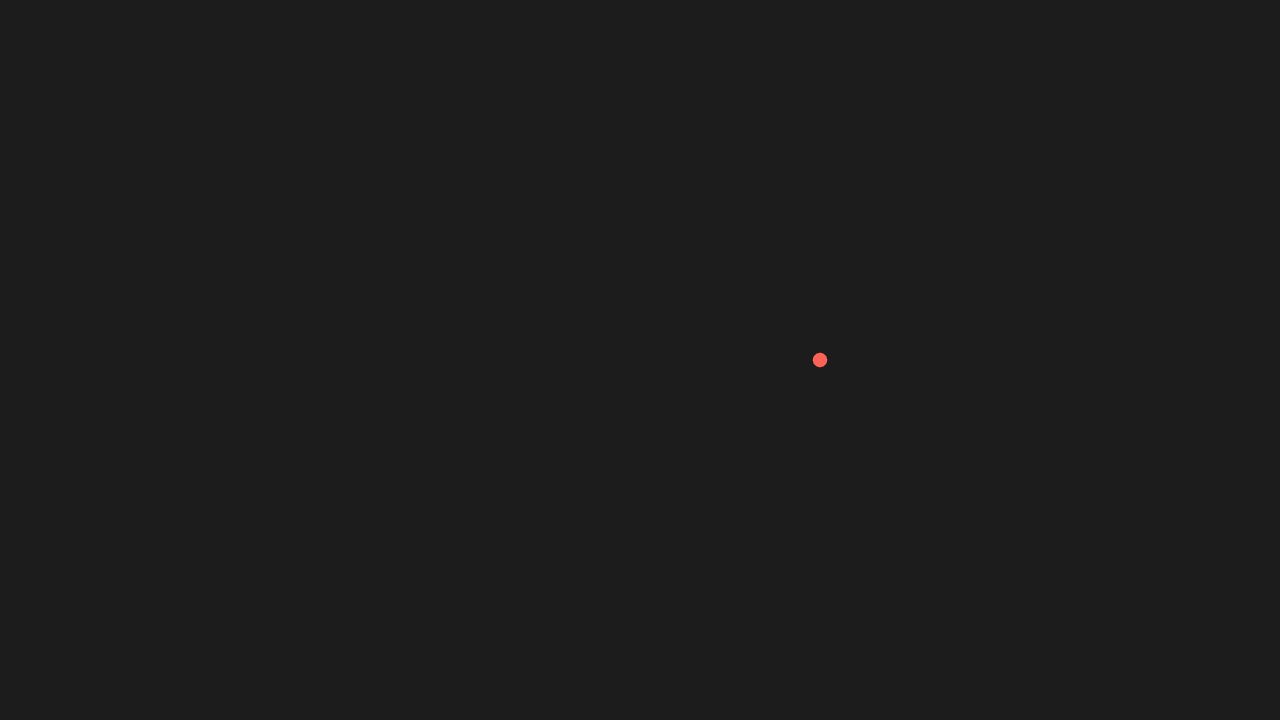
ValueTracker draws nothing (it is only a number); the scene renders without error and the other mobjects behave.
"""ValueTracker 收一个初值

@expect ValueTracker 不画任何东西(它只是数值),场景渲染不炸、其余物体正常。"""

from manim import *


class ValueTrackerScene(Scene):
    def construct(self):
        tracker = ValueTracker(0)
        dot = Dot(point=[-2, 0, 0], color=RED)
        dot.add_updater(lambda m: m.move_to([tracker.get_value() - 2, 0, 0]))
        self.add(tracker, dot)
        self.play(tracker.animate.set_value(4), run_time=1)
        self.wait(0.3)
VGroup variadic positional arguments
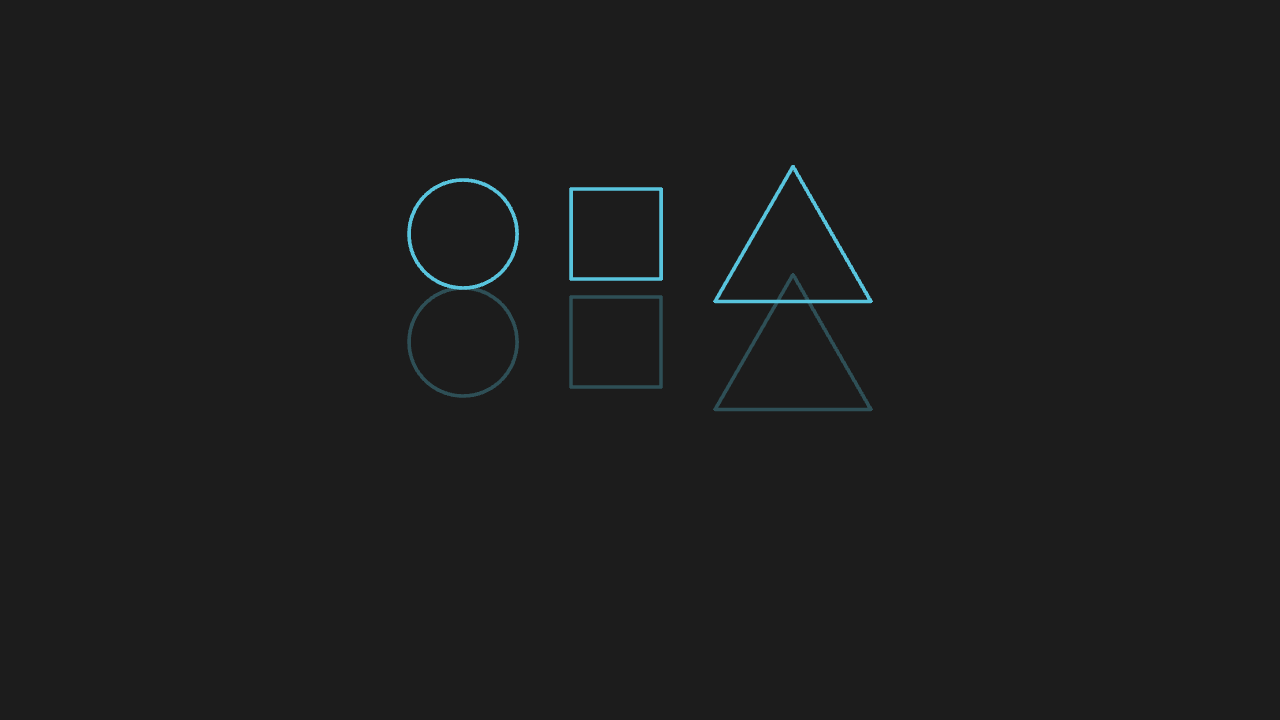
Several mobjects gathered into one VGroup move as a whole; their relative positions stay fixed.
"""VGroup 变长位置参数

@expect 若干物体收进一个 VGroup 后整体定位:一起移动、相对位置不变。"""

from manim import *


class VgroupVariadicScene(Scene):
    def construct(self):
        group = VGroup(Circle(radius=0.6), Square(side_length=1), Triangle())
        group.arrange(RIGHT, buff=0.6)
        # ghost 用同字面量重建、同样 arrange(整组 copy / 非字面量 VGroup 都会丢位置):
        # 移位后 ghost 留在原位,衬出「整组一起动、相对位置不变」
        ghost = VGroup(Circle(radius=0.6), Square(side_length=1), Triangle())
        ghost.arrange(RIGHT, buff=0.6)
        ghost.set_opacity(0.3)
        self.play(Create(group))
        group.shift(UP * 1.2)
        self.add(ghost)
        self.wait(0.3)