Basic shapes
The basic shapes — circle, rectangle, ellipse, arc, polygons, star — plus the line, dot and arrow variants.
This page lists 11 examples. The code is imported from corpus/examples/basic/; the screenshots are end states rendered on real machines.
Draw a circle
A circle in the default stroke colour appears at the centre of the frame, drawn by Create tracing its outline.
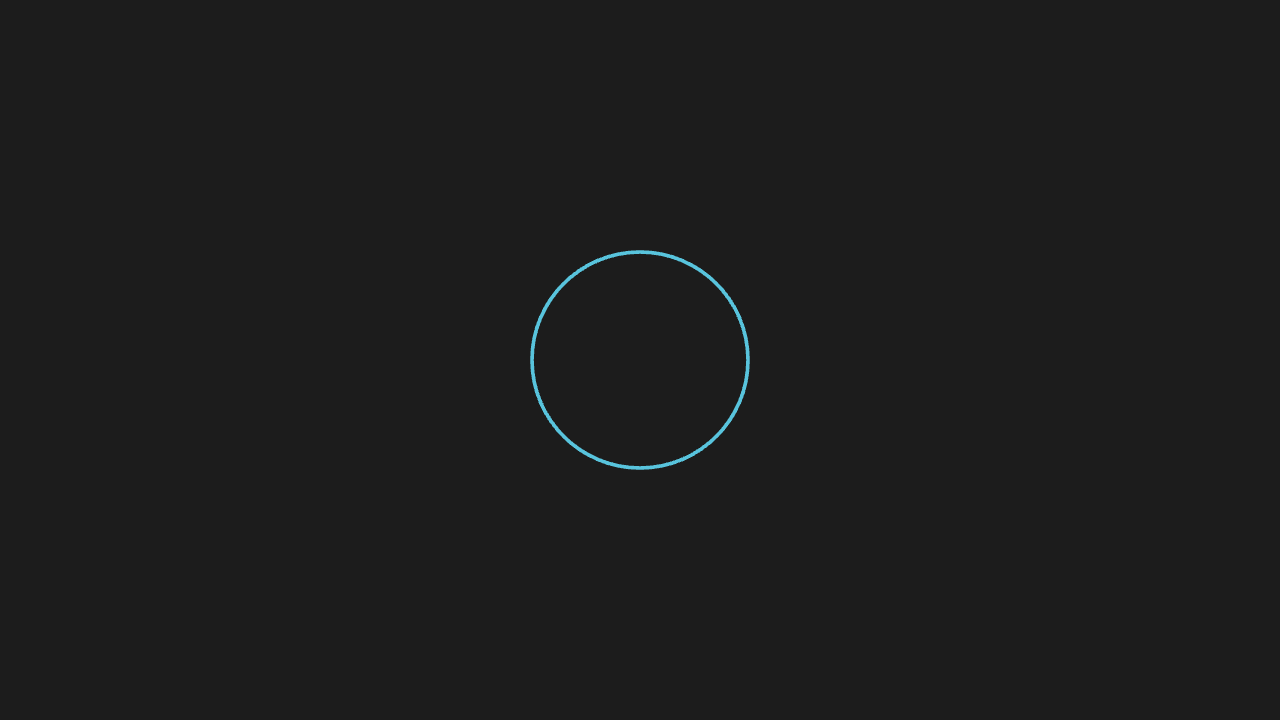
"""画一个圆

@expect 画面中央出现一个默认描边色的圆,动画是 Create 沿轮廓描出来。"""

from manim import *


class CircleScene(Scene):
    def construct(self):
        circle = Circle(radius=1.2)
        self.play(Create(circle))
        self.wait(0.3)
Rotate a square by 45°
The square rotates 45° about its own centre; position and size stay put.
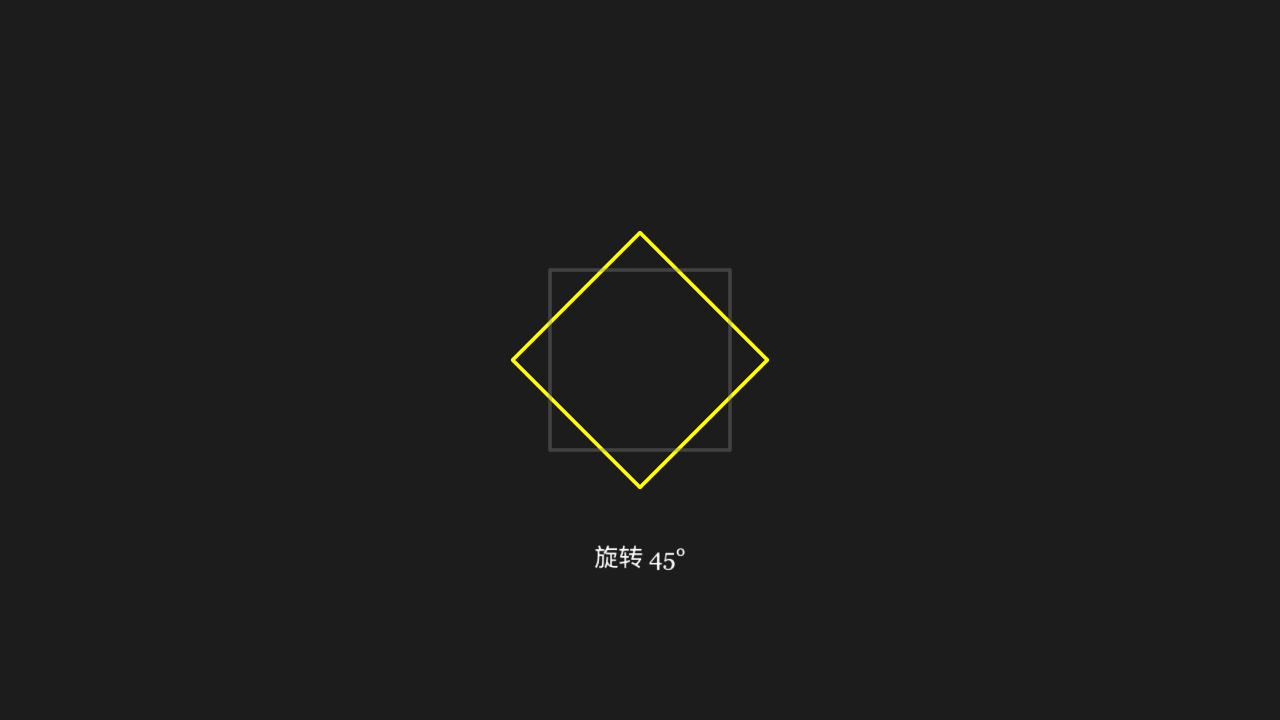
"""方块旋转 45°

@expect 方块绕自身中心旋转 45°,位置与大小不变。"""

from manim import *


class SquareRotateScene(Scene):
    def construct(self):
        square = Square(side_length=2, color=YELLOW)
        self.play(Create(square))
        # 旋转前存一份灰色 ghost:转完后它在原位,衬出「转了 45° 但中心与大小没变」
        ghost = square.copy().set_stroke(GREY, opacity=0.35)
        self.play(square.animate.rotate(PI / 4))
        label = Text("旋转 45°", font_size=26)
        label.move_to([0, -2.2, 0])
        self.add(ghost, label)
        self.wait(0.3)
Rectangle and rounded rectangle
A plain rectangle beside a rounded one; the smoothed corners are a visible difference.
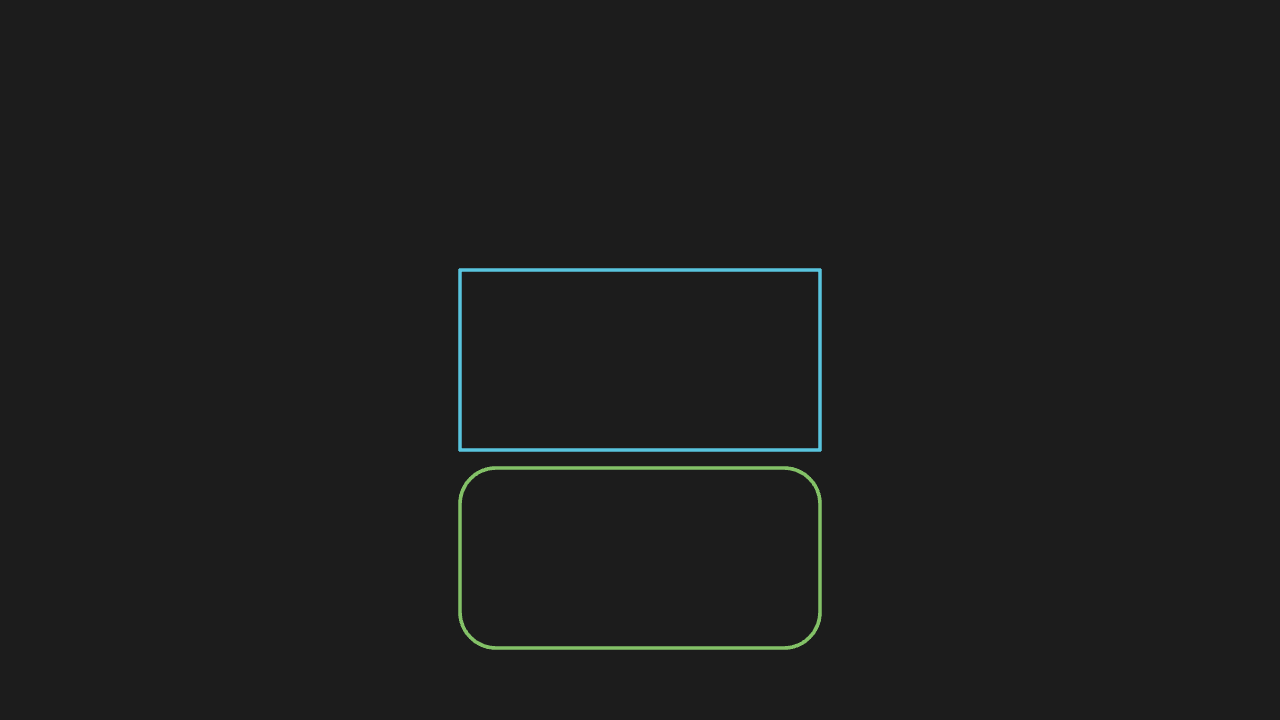
"""矩形与圆角矩形

@expect 并排一个普通矩形与一个圆角矩形,四角圆滑差异肉眼可见。"""

from manim import *


class RectRoundedScene(Scene):
    def construct(self):
        rect = Rectangle(width=4, height=2, color=BLUE)
        rounded = RoundedRectangle(corner_radius=0.4, width=4, height=2, color=GREEN)
        rounded.shift(DOWN * 2.2)
        self.play(Create(rect), Create(rounded))
        self.wait(0.3)
Ellipse and annulus
An ellipse and an annulus; the ring is hollow (an inner and an outer radius).
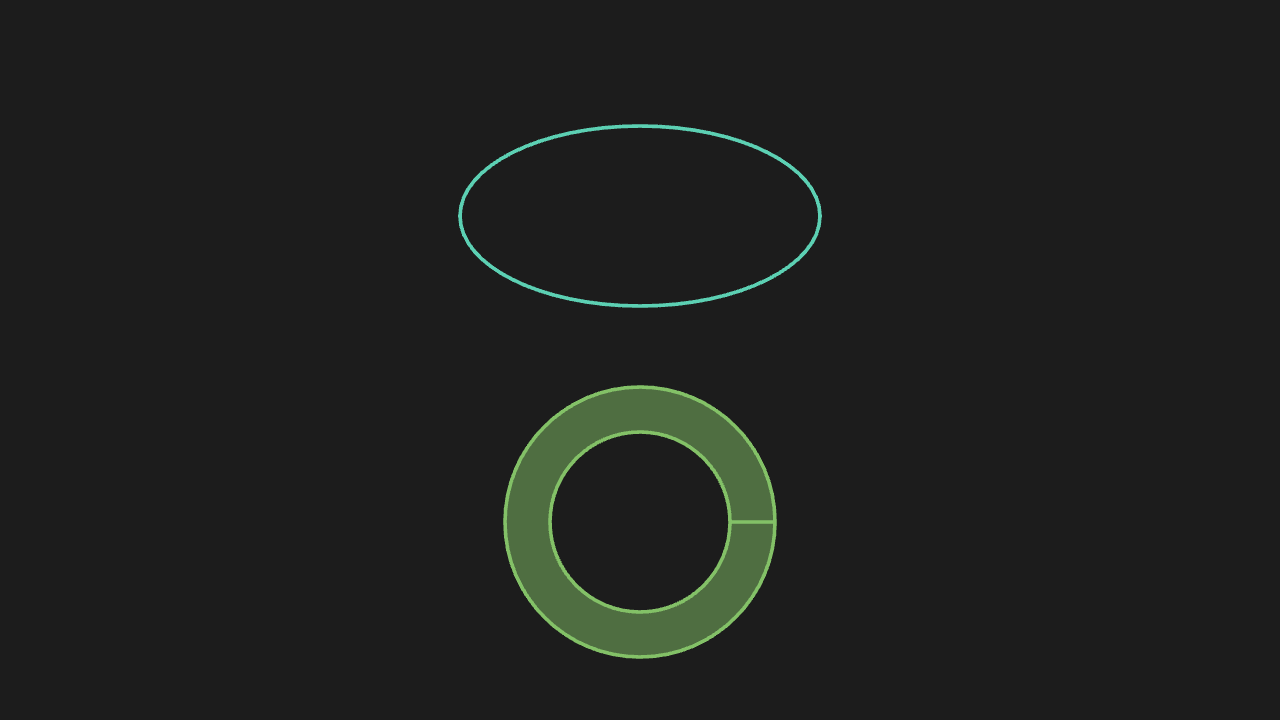
"""椭圆与圆环

@expect 一个椭圆与一个圆环:环是中空的(内外两个半径)。"""

from manim import *


class EllipseAnnulusScene(Scene):
    def construct(self):
        ellipse = Ellipse(width=4, height=2, color=TEAL)
        ellipse.shift(UP * 1.6)
        ring = Annulus(inner_radius=1, outer_radius=1.5, color=GREEN, fill_opacity=0.5)
        ring.shift(DOWN * 1.8)
        self.play(Create(ellipse), Create(ring))
        self.wait(0.3)
Arc and sector
An arc (stroke only) and a sector (arc plus two radii plus fill).
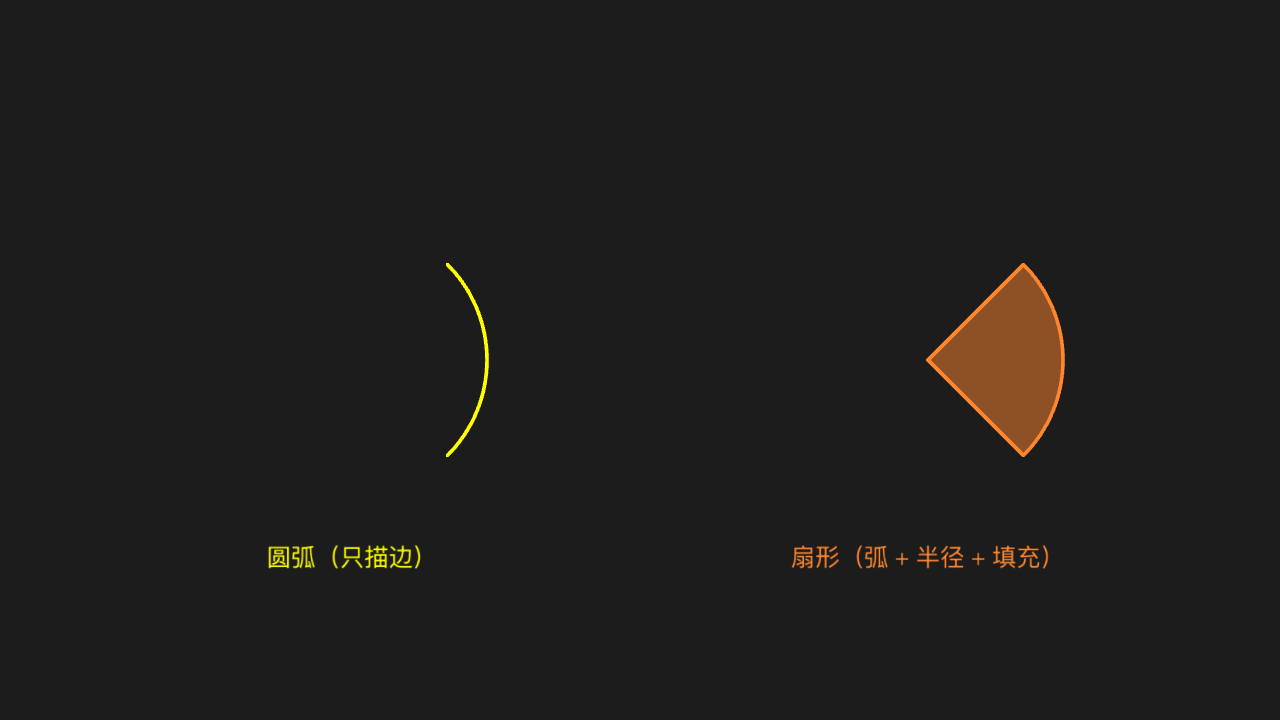
"""圆弧与扇形

@expect 一段圆弧(只描边)与一个扇形(弧 + 两条半径 + 填充)。"""

from manim import *


class ArcSectorScene(Scene):
    def construct(self):
        # 弧与扇形都用 -45°~+45° 的对称角度范围,左右对称构图
        arc = Arc(radius=1.5, start_angle=-PI / 4, angle=PI / 2, color=YELLOW)
        arc.shift(LEFT * 3.2)
        arc_label = Text("圆弧(只描边)", font_size=26, color=YELLOW)
        arc_label.move_to([-3.2, -2.2, 0])

        sector = Sector(radius=1.5, start_angle=-PI / 4, angle=PI / 2,
                        color=ORANGE, fill_opacity=0.5)
        sector.shift(RIGHT * 3.2)
        sector_label = Text("扇形(弧 + 半径 + 填充)", font_size=26, color=ORANGE)
        sector_label.move_to([3.2, -2.2, 0])

        self.play(Create(arc), Write(arc_label), Create(sector), Write(sector_label))
        self.wait(0.3)
Triangle and regular hexagon
A triangle and a regular hexagon side by side; the edge counts match the names.
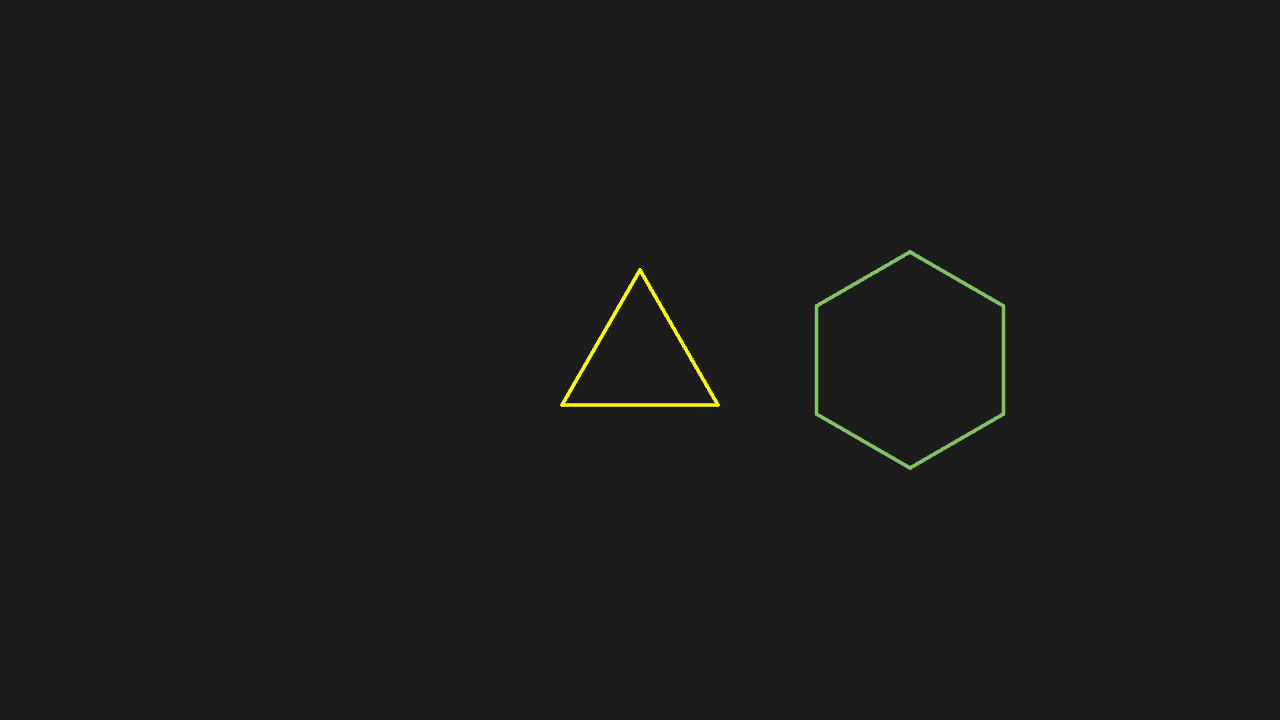
"""三角形与正六边形

@expect 一个三角形与一个正六边形并排,边数与名字一致。"""

from manim import *


class PolygonsScene(Scene):
    def construct(self):
        triangle = Triangle(color=YELLOW)
        hexagon = RegularPolygon(n=6, radius=1.2, color=GREEN)
        hexagon.shift(RIGHT * 3)
        self.play(Create(triangle), Create(hexagon))
        self.wait(0.3)
Six-pointed star
A six-pointed star outline with six crisp tips.
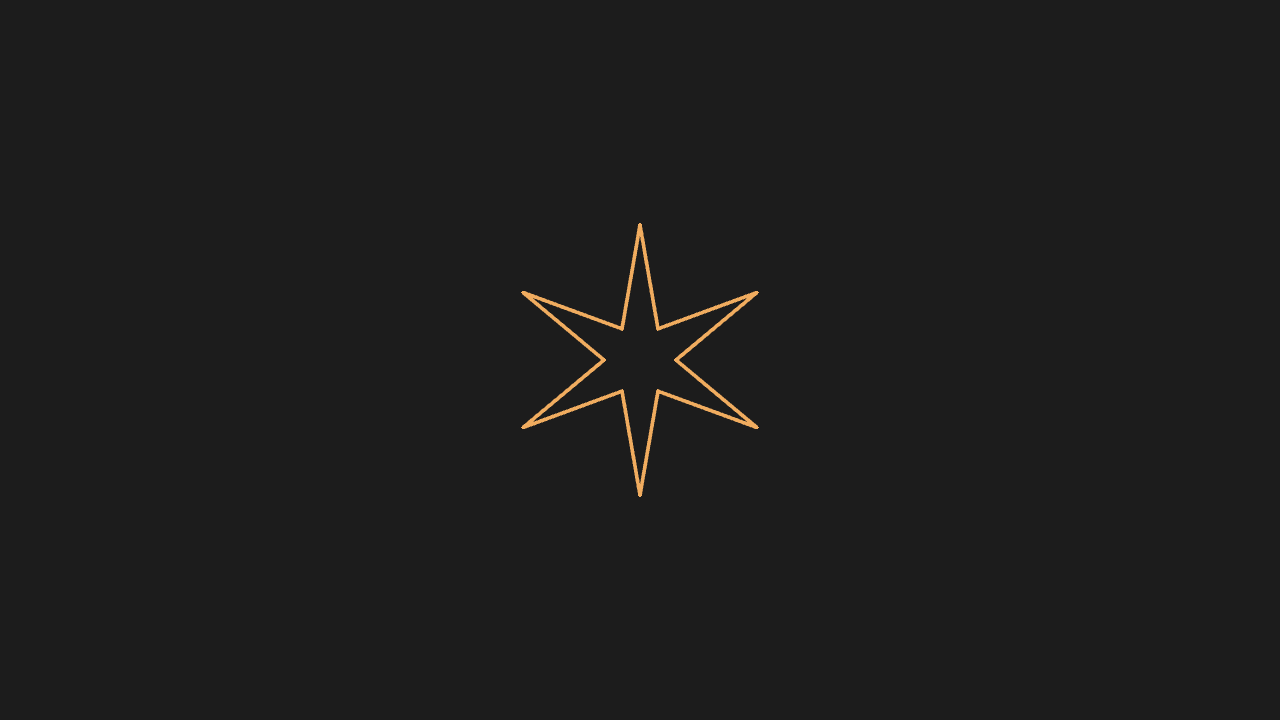
"""六角星

@expect 一个六角星轮廓,六个尖角清晰。"""

from manim import *


class StarScene(Scene):
    def construct(self):
        star = Star(n=6, outer_radius=1.5, color=GOLD)
        self.play(Create(star))
        self.wait(0.3)
Polygon from vertices
A polygon connecting the given vertices in order; the shape matches the coordinates.
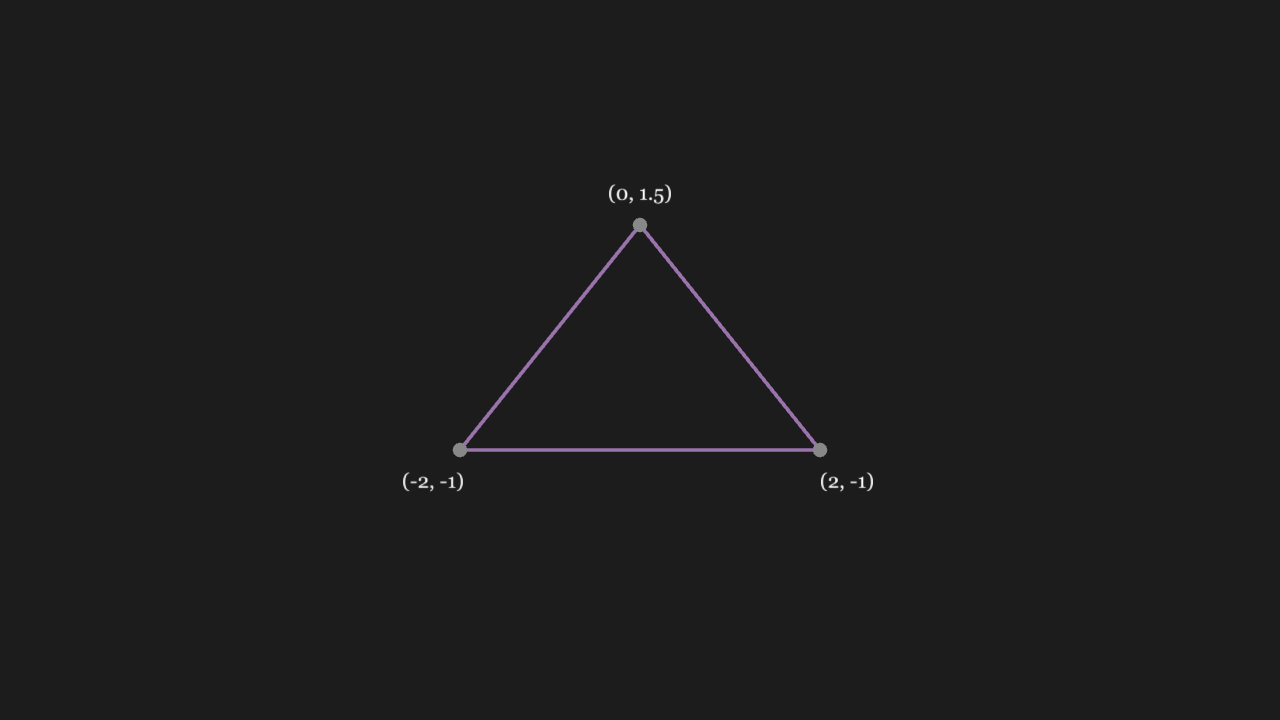
"""按顶点画多边形

@expect 按给定顶点顺次连成的多边形,形状与顶点坐标相符。"""

from manim import *


class PolygonVerticesScene(Scene):
    def construct(self):
        vertices = [[-2, -1, 0], [0, 1.5, 0], [2, -1, 0]]
        poly = Polygon(*vertices, color=PURPLE)
        # 三颗灰点压在三个顶点上 + 各自的坐标小字:形状确实按这三组坐标连成
        dots = VGroup(*[Dot(v, color=GREY, radius=0.08) for v in vertices])
        label_a = Text("(-2, -1)", font_size=22).move_to([-2.3, -1.35, 0])
        label_b = Text("(0, 1.5)", font_size=22).move_to([0, 1.85, 0])
        label_c = Text("(2, -1)", font_size=22).move_to([2.3, -1.35, 0])
        labels = VGroup(label_a, label_b, label_c)
        self.play(Create(poly), FadeIn(dots), Write(labels))
        self.wait(0.3)
Axes plus a function curve
A function curve on a set of axes; the curve follows the function and sits on the ticks.
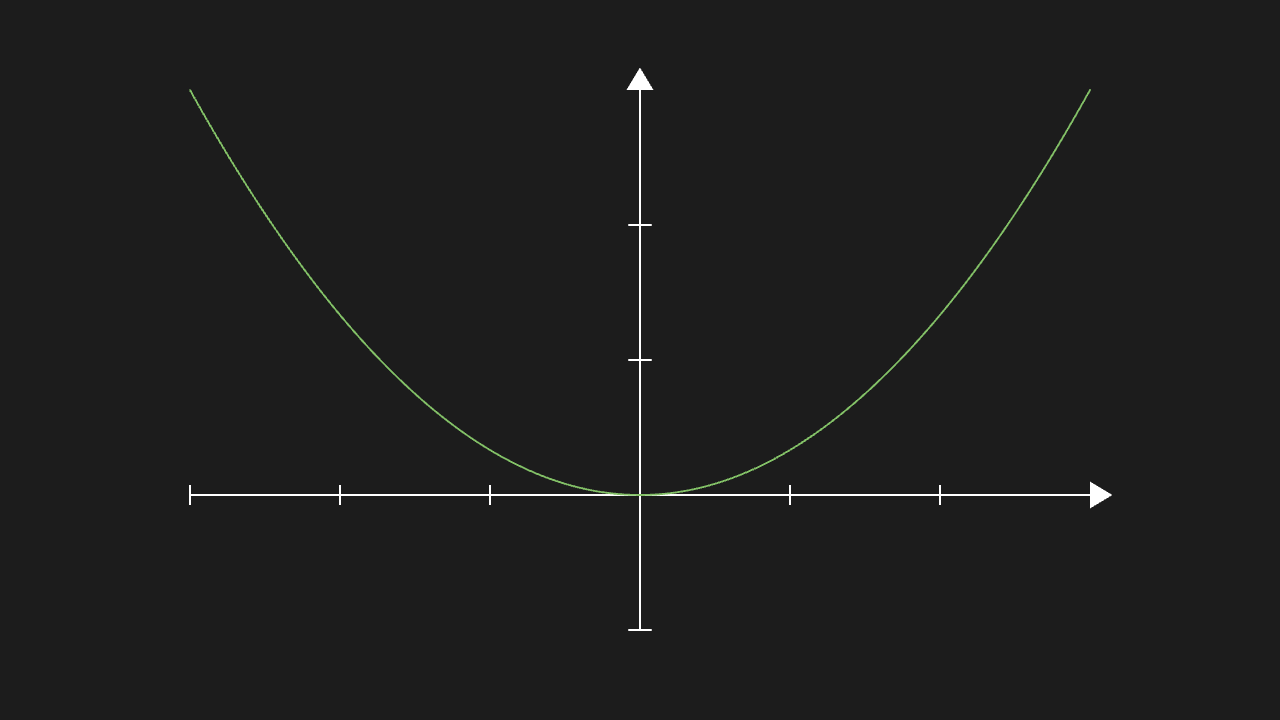
"""坐标系 + 函数曲线

@expect 一套坐标系上画出函数曲线,曲线走势与函数一致、贴着坐标刻度。
@note plot() 的 func 是 Python 函数——要过桥,见「构造器参数」组的同项
"""

from manim import *


class AxesPlotScene(Scene):
    def construct(self):
        ax = Axes(x_range=[-3, 3, 1], y_range=[-1, 3, 1])
        graph = ax.plot(lambda x: x * x / 3, color=GREEN)
        self.play(Create(ax), Create(graph))
        self.wait(0.3)
Line, dot, arrow
One line, one dot and one arrow: the arrow carries a tip on one end and the dot sits where specified.
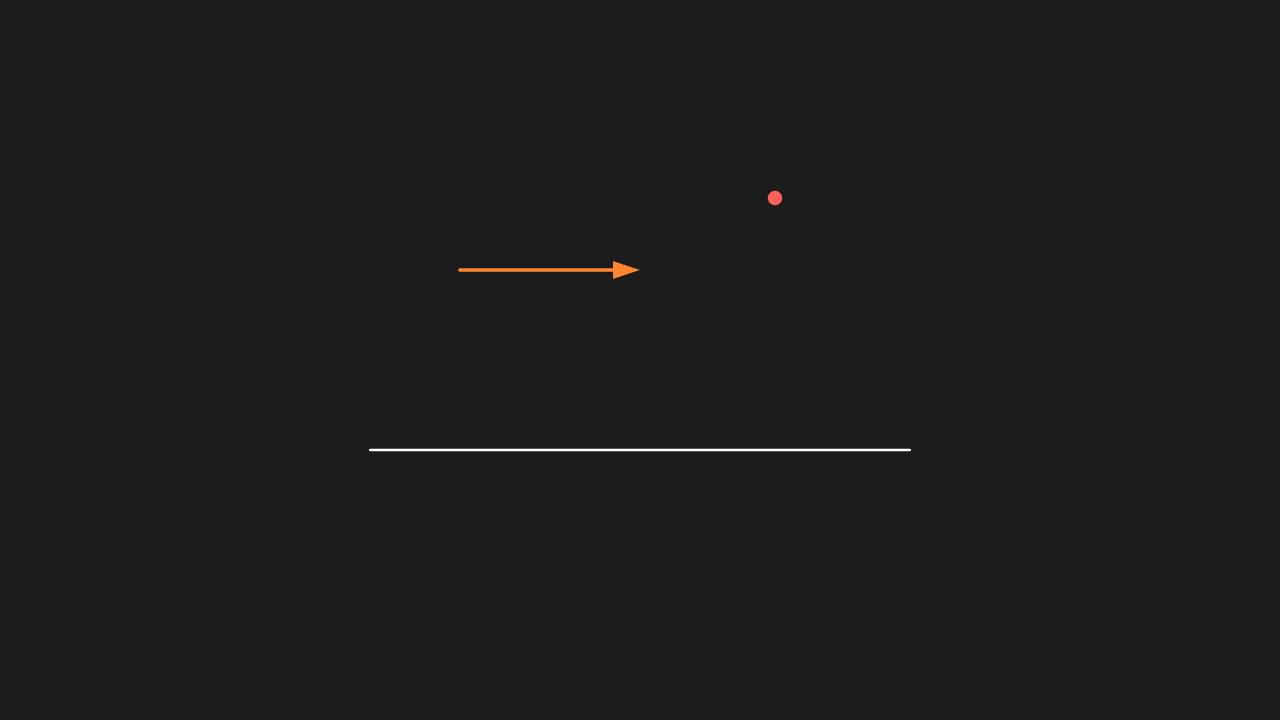
"""线、点、箭头

@expect 线、点、箭头各一个:箭头的一端有箭头帽,点在指定位置。"""

from manim import *


class LineDotArrowScene(Scene):
    def construct(self):
        line = Line(start=[-3, -1, 0], end=[3, -1, 0])
        # 红点挪到箭头终点右上,三个物体互不遮挡
        dot = Dot(point=[1.5, 1.8, 0], color=RED)
        arrow = Arrow(start=[-2, 1, 0], end=[0, 1, 0], color=ORANGE)
        self.play(Create(line), FadeIn(dot), GrowArrow(arrow))
        self.wait(0.3)
Dashed, double arrow, arc arrow
The dashed line is broken, the double arrow has tips on both ends and the arc arrow curves — all three distinguishable at a glance.
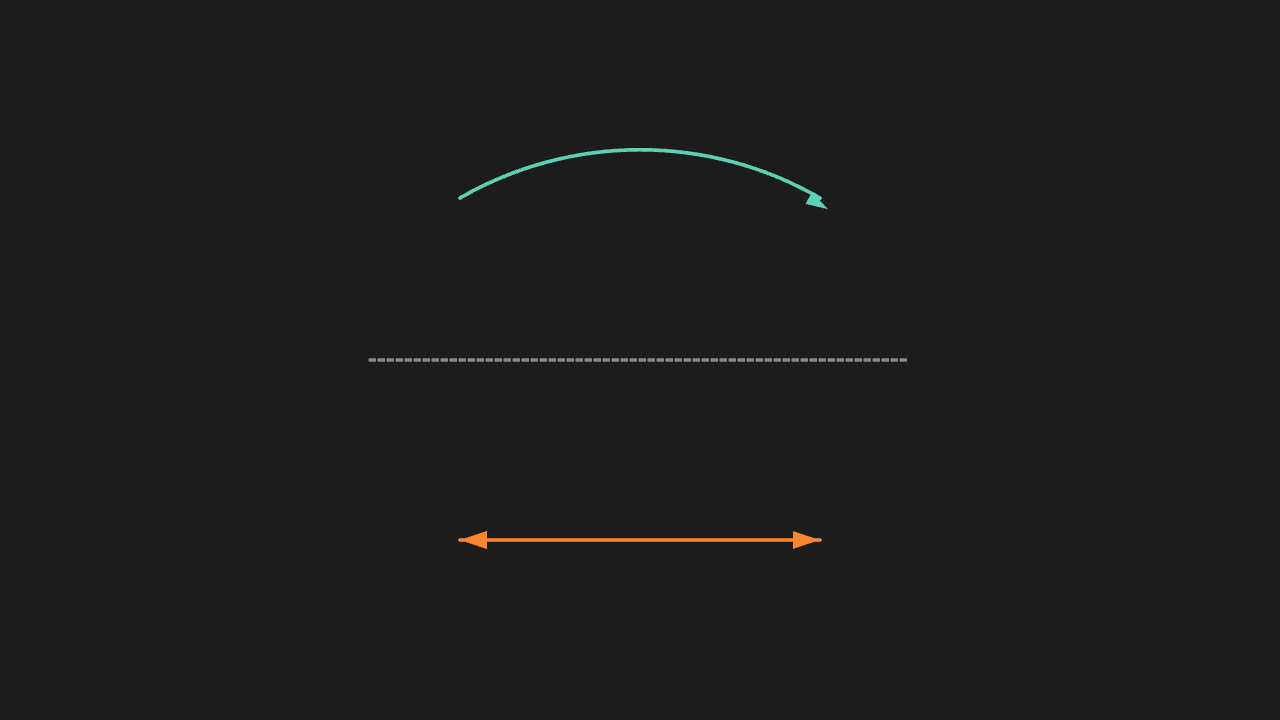
"""虚线、双箭头、弧线箭头

@expect 虚线是断续的、双箭头两端都有帽、弧线箭头带弧度,三者一眼可分。
@note LEFT * 3 这类方向常量是 numpy 向量,逐元素运算要走真的 numpy
"""

from manim import *


class LineVariantsScene(Scene):
    def construct(self):
        dashed = DashedLine(start=LEFT * 3, end=RIGHT * 3, color=GREY)
        # DoubleArrow 的箭头帽与杆脱节(适配层 bug),用两支反向 Arrow 叠出双端帽
        double = Arrow(start=LEFT * 2 + DOWN * 2, end=RIGHT * 2 + DOWN * 2,
                       color=ORANGE)
        double_back = Arrow(start=RIGHT * 2 + DOWN * 2, end=LEFT * 2 + DOWN * 2,
                            color=ORANGE)
        curved = CurvedArrow(start_point=LEFT * 2, end_point=RIGHT * 2, angle=PI / 3, color=TEAL)
        curved.shift(UP * 1.8)
        self.play(Create(dashed), GrowArrow(double), GrowArrow(double_back), Create(curved))
        self.wait(0.3)