🐍
Standard Manim, runs as-is
What you write is standard Manim CE Python — 394 of the 437 public API entries verified usable (~90%); the 43 missing ones report an alternative in the error itself.
Turn standard Manim (Python) code into real-time animations in a web page: no server, no local Python.
On the left is a piece of standard Manim CE code — nothing specific to this package. Hand it to surface.run(), and the page renders the picture on the right live — not a pre-rendered video; it is drawn by executing this Python. (The screenshot shows the animation's end state; the playback itself runs in the local playground.)
from manim import *


class AxesPlotScene(Scene):
    def construct(self):
        ax = Axes(x_range=[-3, 3, 1], y_range=[-1, 3, 1])
        graph = ax.plot(lambda x: x * x / 3, color=GREEN)
        self.play(Create(ax), Create(graph))
        self.wait(0.3)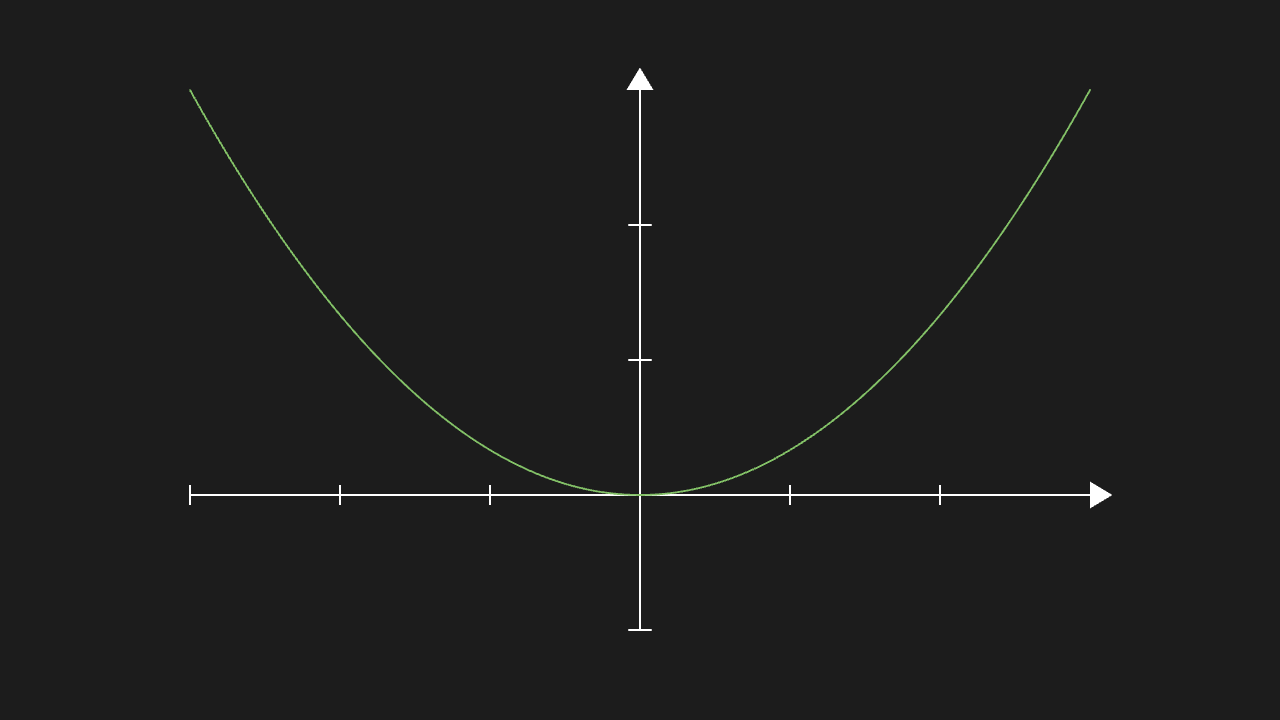
corpus/examples/basic/09-axes-plot.pyThe code is the same standard Manim Python; the difference lies only in where it runs and how the picture is produced:
| Native Manim (CLI) | manim-live | |
|---|---|---|
| The code you write | Standard Manim Python | The same code, runs as-is |
| Environment | Local install of Python + manim + ffmpeg (plus LaTeX for formulas) | Just a browser, zero install |
| How you get the picture | Offline CLI render to an mp4; playback and embedding are left to you | Real-time rendering in the page; the animation plays as soon as the code is submitted |
| Embedding in pages or products | Not possible; a video file can only be embedded after the fact | Embed anywhere; all it takes is a container element |
| AI drawing while explaining | A single render waits for the whole pipeline, so it cannot keep pace with the explanation | Write it, watch it; check() stops invalid code first |
| Deployment cost | Install the stack on every machine, or run a render server | One npm package; assets can be self-hosted and it runs fully offline |
The single trade-off: about 90% of the 437 public API entries verified usable, with the main scenarios (basic shapes, coordinate systems, text and formulas, animations, updaters, 3D) fully covered — the item-by-item list is in Support Surface.
pnpm add manim-liveThe minimal flow is three steps: createManimRenderer() creates a renderer → createSurface(container) creates a canvas → surface.run(python) executes a piece of Manim code. The full example is in Quick Start; mounting in each framework is in Framework Integration.
Every image below is a real end state rendered on a real machine: generated by scripts/shot-corpus.mjs running the corpus entry by entry in a real Chromium — not mockups. The source-to-image mapping is in the Gallery.

<figcaption>Linear map: the unit square's area scales by |det|</figcaption>

<figcaption>Scatter points into a square and estimate π ≈ 3.140</figcaption>

<figcaption>ThreeDScene: real 3D with lighting and depth</figcaption>
Screenshots are end states and contain no animation
A screenshot captures the frame after an animation finishes playing. The animation process itself (how objects move and morph) cannot be shown statically — this repository includes a local playground; after pnpm playground, all 273 corpus entries can be played one by one. The playground is for local development only and is not deployed with these docs.