动画
m.animate 链、速率函数、Transform 一族、入场与高亮动画、沿路径运动与描边后填充。
本页 17 条示例。代码引自 corpus/examples/animate/,截图为真机渲染的终态。
m.animate 链式
方块先挪到右侧、再变色再放大(链上多个变更一起落到终态),过程平滑。
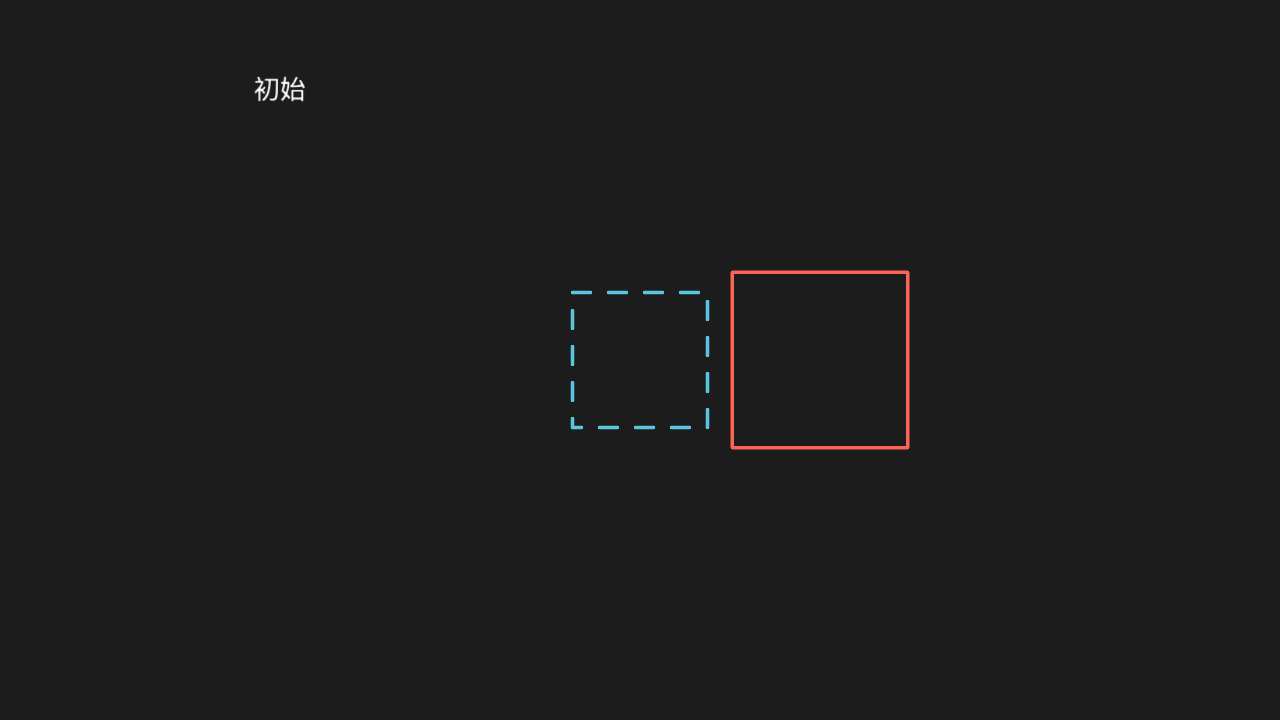
"""m.animate 链式

@expect 方块先挪到右侧、再变色再放大(链上多个变更一起落到终态),过程平滑。"""

from manim import *


class ChainScene(Scene):
    def construct(self):
        square = Square(side_length=1.5)
        self.add(square)
        self.add(Text("初始", font_size=28).move_to([-4, 3, 0]))
        self.add(DashedVMobject(Square(side_length=1.5)).move_to([0, 0, 0]))
        self.play(square.animate.shift(RIGHT * 2).set_color(RED).scale(1.3))
        self.wait(0.3)
animate 链里改填充
动画结束物体的填充色变成目标色,且是「渐变过去」不是瞬间跳变。

"""animate 链里改填充

@expect 动画结束物体的填充色变成目标色,且是「渐变过去」不是瞬间跳变。"""

from manim import *


class ChainFillScene(Scene):
    def construct(self):
        square = Square(side_length=2)
        self.add(square)
        self.play(square.animate.set_fill(BLUE, opacity=0.6).rotate(PI / 4))
        self.wait(0.3)
速率与时长(rate_func 对照)
两个物体从左到右位移同样距离、run_time 相同,一个 rate_func=linear、一个 rate_func=smooth,各自旁标注速率名;画面留两条路径的起终点标记。急缓差异(smooth 两头慢中间快)是过程性的——真时序观察;终帧以 「路径 + 起终点标记 + 速率名标注」的对照定格作证。
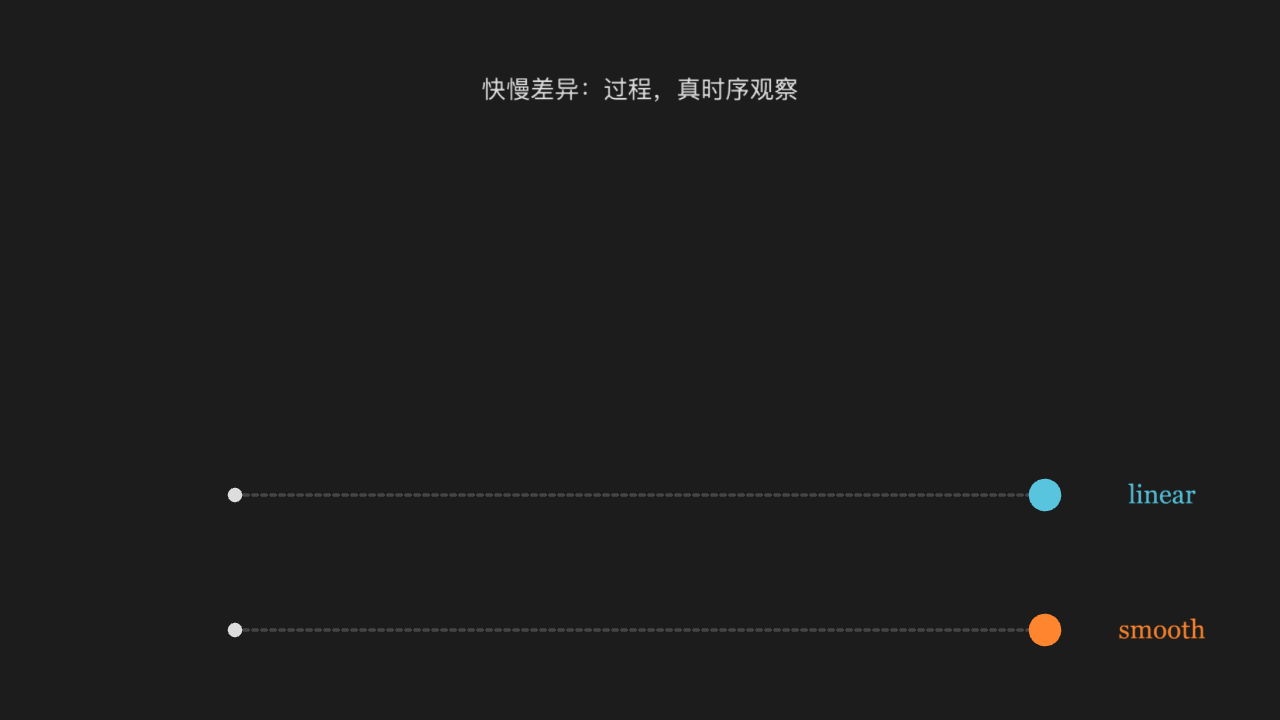
"""速率与时长(rate_func 对照)

@expect 两个物体从左到右位移同样距离、run_time 相同,一个 rate_func=linear、
        一个 rate_func=smooth,各自旁标注速率名;画面留两条路径的起终点标记。
        急缓差异(smooth 两头慢中间快)是过程性的——真时序观察;终帧以
        「路径 + 起终点标记 + 速率名标注」的对照定格作证。
@note rate_func 传的是速率**名**(字符串),自定义函数过不了桥
"""

from manim import *


class RateFuncScene(Scene):
    def construct(self):
        rows = [
            (-1.5, "linear", BLUE),
            (-3.0, "smooth", ORANGE),
        ]
        for y, name, color in rows:
            start = Dot([-4.5, y, 0], color=GREY_A, radius=0.08)
            end = Dot([4.5, y, 0], color=GREY_A, radius=0.08)
            path = DashedLine([-4.5, y, 0], [4.5, y, 0], color=GREY_D)
            label = Text(name, font_size=28, color=color)
            label.move_to([5.8, y, 0])
            self.add(start, end, path, label)

        top = Dot([-4.5, -1.5, 0], color=BLUE, radius=0.18)
        bottom = Dot([-4.5, -3.0, 0], color=ORANGE, radius=0.18)
        self.add(top, bottom)
        # 同样的位移、同样的 run_time,只差速率:快慢差别在真时序里肉眼可分
        self.play(top.animate.shift(RIGHT * 9), rate_func=linear, run_time=2)
        self.play(bottom.animate.shift(RIGHT * 9), rate_func=smooth, run_time=2)
        title = Text("快慢差异:过程,真时序观察", font_size=26, color=GREY_A)
        title.move_to([0, 3.0, 0])
        self.play(FadeIn(title))
        self.wait(0.3)
there_and_back 速率
物体走到目标后又原路折返回起点(there_and_back 的标志性行为)。折返是过程性的——真时序观察;终帧圆回到起点,目标点与虚线路径留在画面上作证据,圆旁标注 there_and_back。
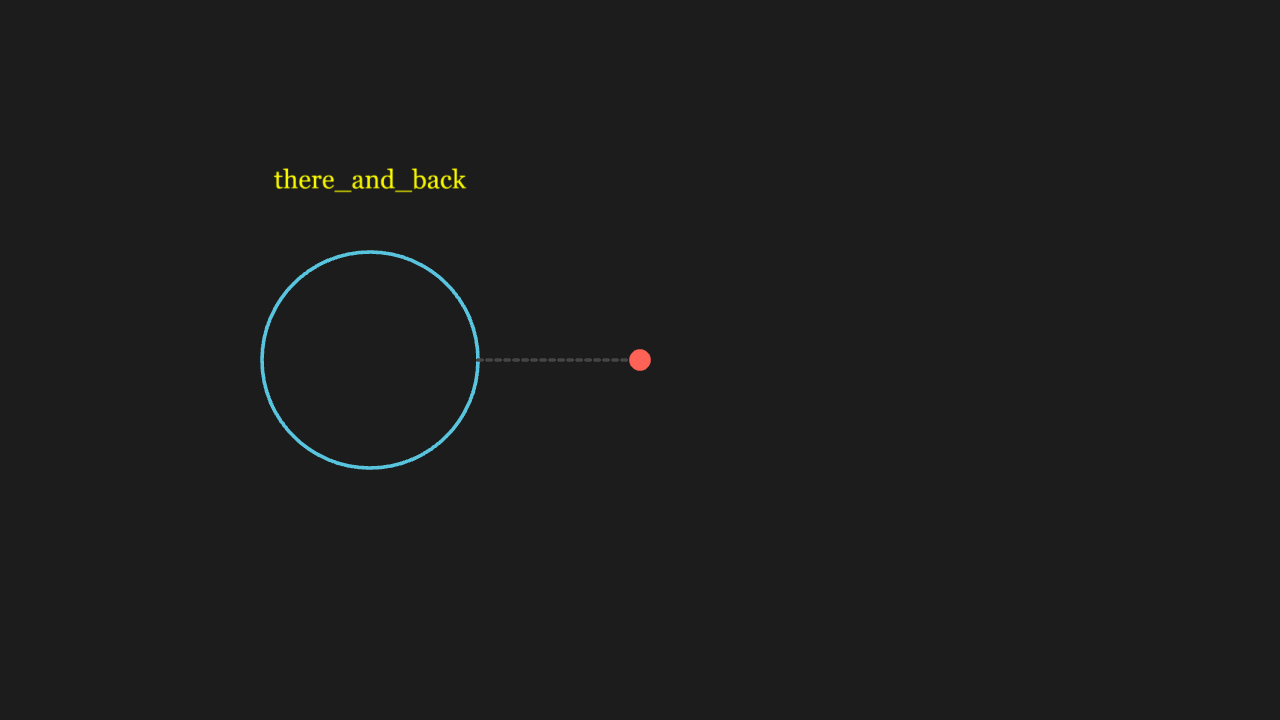
"""there_and_back 速率

@expect 物体走到目标后又原路折返回起点(there_and_back 的标志性行为)。
        折返是过程性的——真时序观察;终帧圆回到起点,目标点与虚线路径
        留在画面上作证据,圆旁标注 there_and_back。
@note rate_func 传的是速率**名**(字符串),自定义函数过不了桥
"""

from manim import *


class RateVariantsScene(Scene):
    def construct(self):
        circle = Circle(radius=1.2, color=BLUE)
        circle.move_to([-3, 0, 0])
        self.play(Create(circle))

        target = Dot([0, 0, 0], color=RED, radius=0.12)
        path = DashedLine([-1.8, 0, 0], [0, 0, 0], color=GREY_D)
        label = Text("there_and_back", font_size=28, color=YELLOW)
        label.move_to([-3, 2, 0])
        self.play(FadeIn(target), FadeIn(path), FadeIn(label))

        # 走到目标(RIGHT*3)又原路折返回起点——终帧回到起点,路径与目标点留证
        self.play(circle.animate.shift(RIGHT * 3), rate_func=there_and_back, run_time=2)
        self.wait(0.3)
Transform 变形
A 物体连续变形为 B 物体(形状与位置同时插值),过程中两者都是同一个物体。
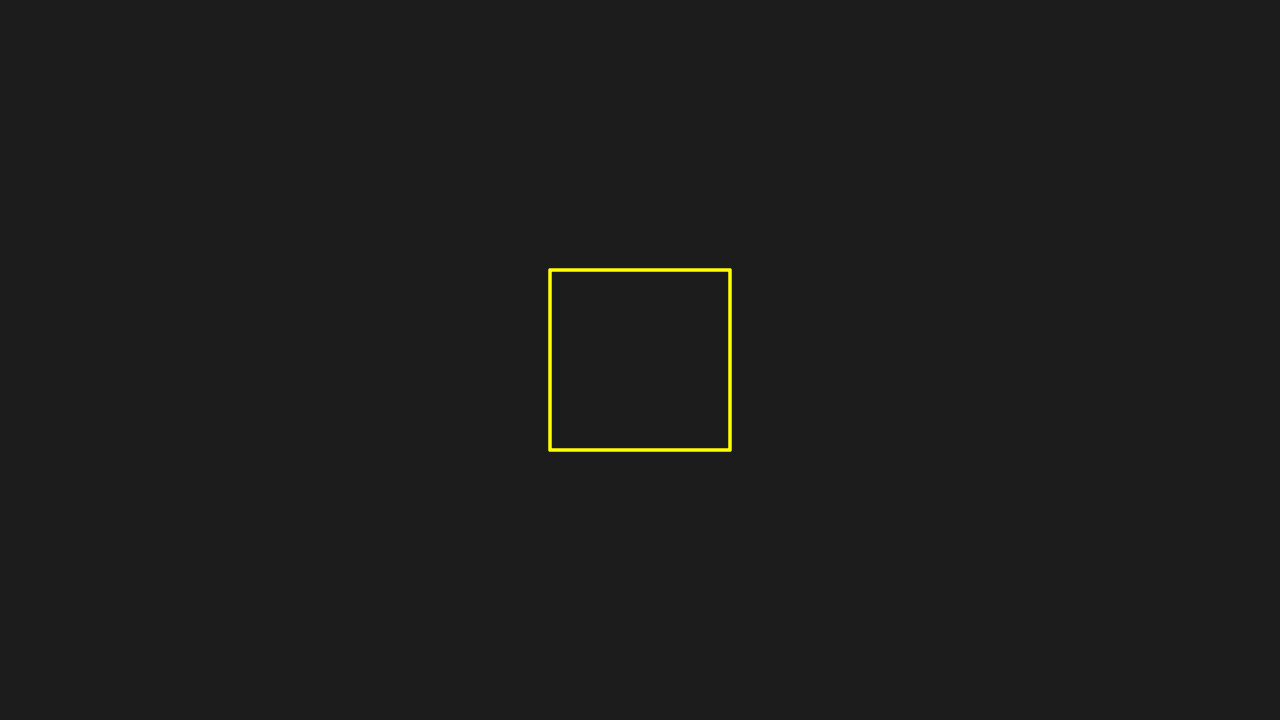
"""Transform 变形

@expect A 物体连续变形为 B 物体(形状与位置同时插值),过程中两者都是同一个物体。"""

from manim import *


class TransformScene(Scene):
    def construct(self):
        circle = Circle(radius=1, color=BLUE)
        square = Square(side_length=2, color=YELLOW)
        self.add(circle)
        self.play(Transform(circle, square))
        self.wait(0.3)
ReplacementTransform 换掉旧物体
变形结束后场景里是 B、A 被换掉——后续再动 A 不会再出现。
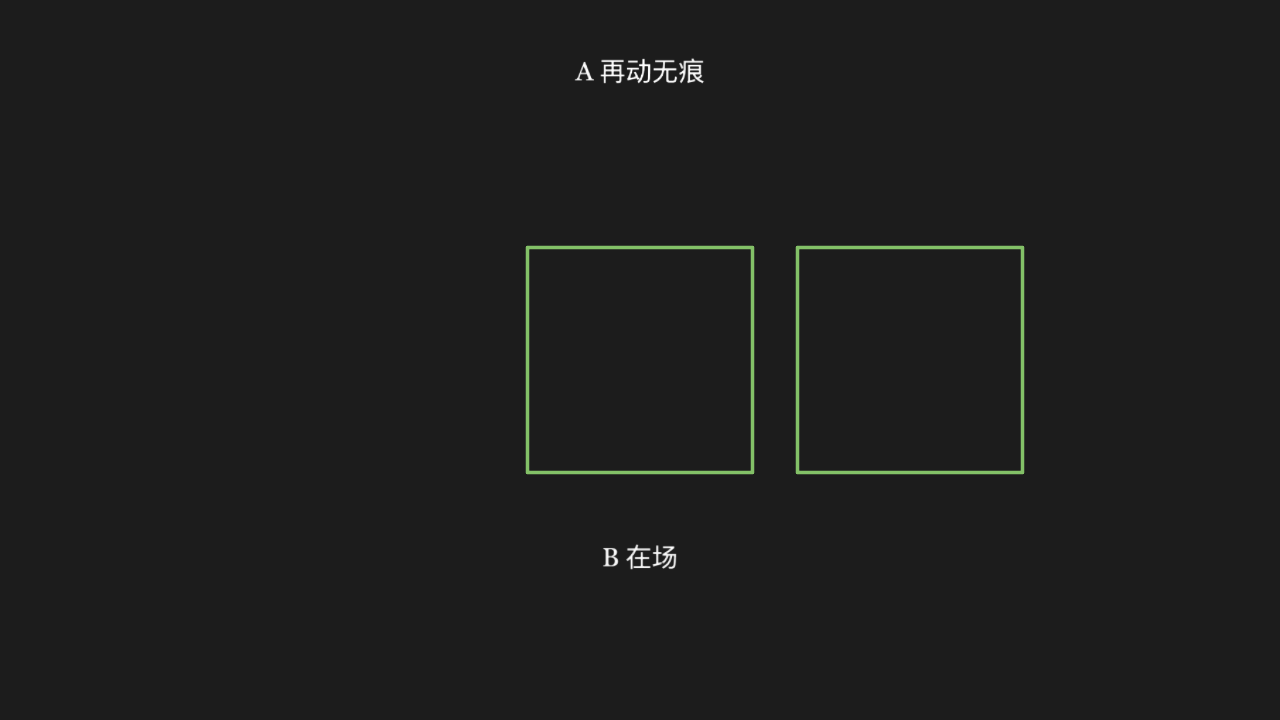
"""ReplacementTransform 换掉旧物体

@expect 变形结束后场景里是 B、A 被换掉——后续再动 A 不会再出现。"""

from manim import *


class ReplacementTransformScene(Scene):
    def construct(self):
        c = Circle(radius=1.5, color=BLUE)
        s = Square(side_length=2.5, color=GREEN)
        self.play(Create(c))
        self.play(ReplacementTransform(c, s))
        self.play(c.animate.shift(RIGHT * 3))
        self.add(Text("B 在场", font_size=28).move_to([0, -2.2, 0]))
        self.add(Text("A 再动无痕", font_size=28).move_to([0, 3.2, 0]))
        self.wait(0.3)
TransformMatchingTex 公式变换
公式里相同的片段原地不动、不同的片段移动补位,不是整串打碎重排 (黄色 = 从 a = b 到 x = y 位置不变,a→x、b→y 补位)。
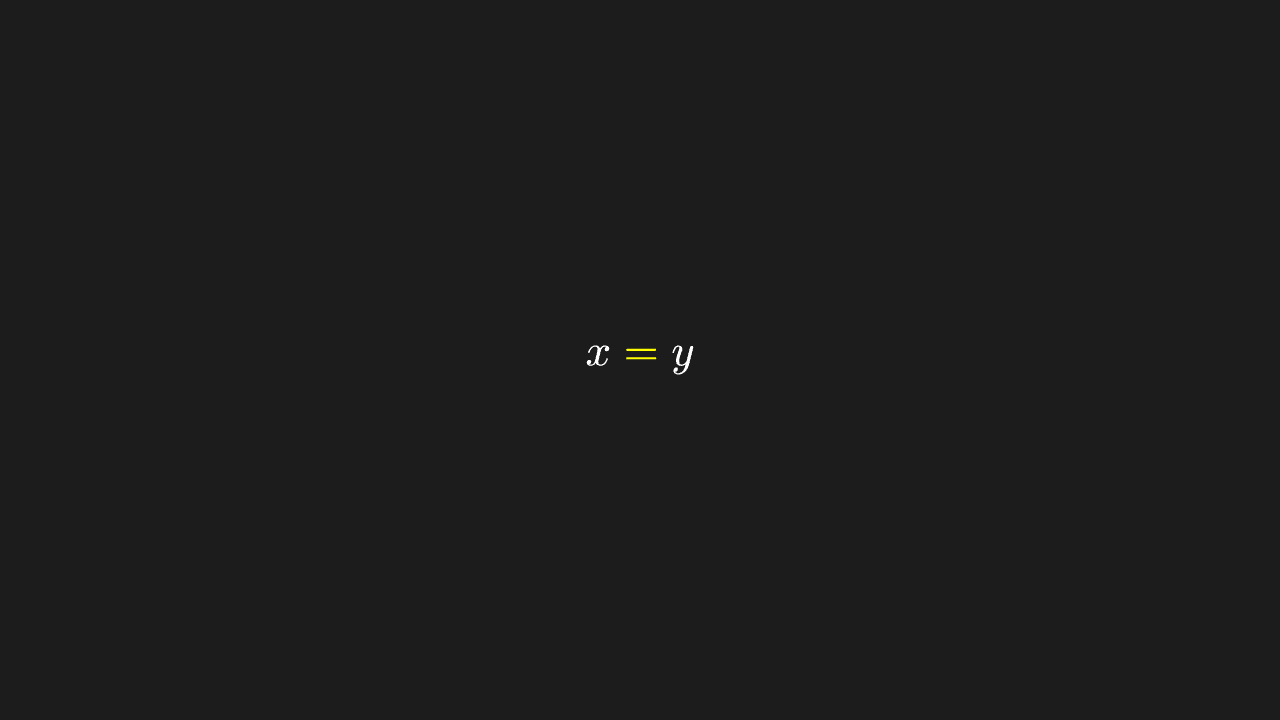
"""TransformMatchingTex 公式变换

@expect 公式里相同的片段原地不动、不同的片段移动补位,不是整串打碎重排
(黄色 = 从 a = b 到 x = y 位置不变,a→x、b→y 补位)。
@browser 给「=」上色要按段取下标(a[1]),而 MathTex 的分段要等 KaTeX 异步排版才存在
——Node 假画布不排版,下标必 IndexError;真浏览器里没问题。由实验场页面核。
@note 别在排版完成前 copy MathTex 当 ghost:排版前的复制共享未填充的分段结构,
      会把 TransformMatchingTex 的对位数据污染成 aˣ = y b(实测)。同理 scale 在
      排版前调用也只是空操作。变换本身用探针验证过是干净的,别加戏。
"""

from manim import *


class TransformMatchingTexScene(Scene):
    def construct(self):
        a = MathTex("a", "=", "b")
        b = MathTex("x", "=", "y")
        a[1].set_color(YELLOW)
        b[1].set_color(YELLOW)
        self.add(a)
        self.play(TransformMatchingTex(a, b))
        self.wait(0.3)
LaggedStart 依次入场
多个物体依次入场,彼此有先后错峰(lag_ratio 决定重叠程度)。

"""LaggedStart 依次入场

@expect 多个物体依次入场,彼此有先后错峰(lag_ratio 决定重叠程度)。"""

from manim import *


class LaggedStartScene(Scene):
    def construct(self):
        dots = [Dot(point=[i - 2, 0, 0], color=BLUE) for i in range(5)]
        self.add(VGroup(*dots))
        self.play(LaggedStart(*[FadeIn(d) for d in dots], lag_ratio=0.2))
        self.wait(0.3)
AnimationGroup 并行
组里的几个动画同时进行、同时结束,不逐个来。
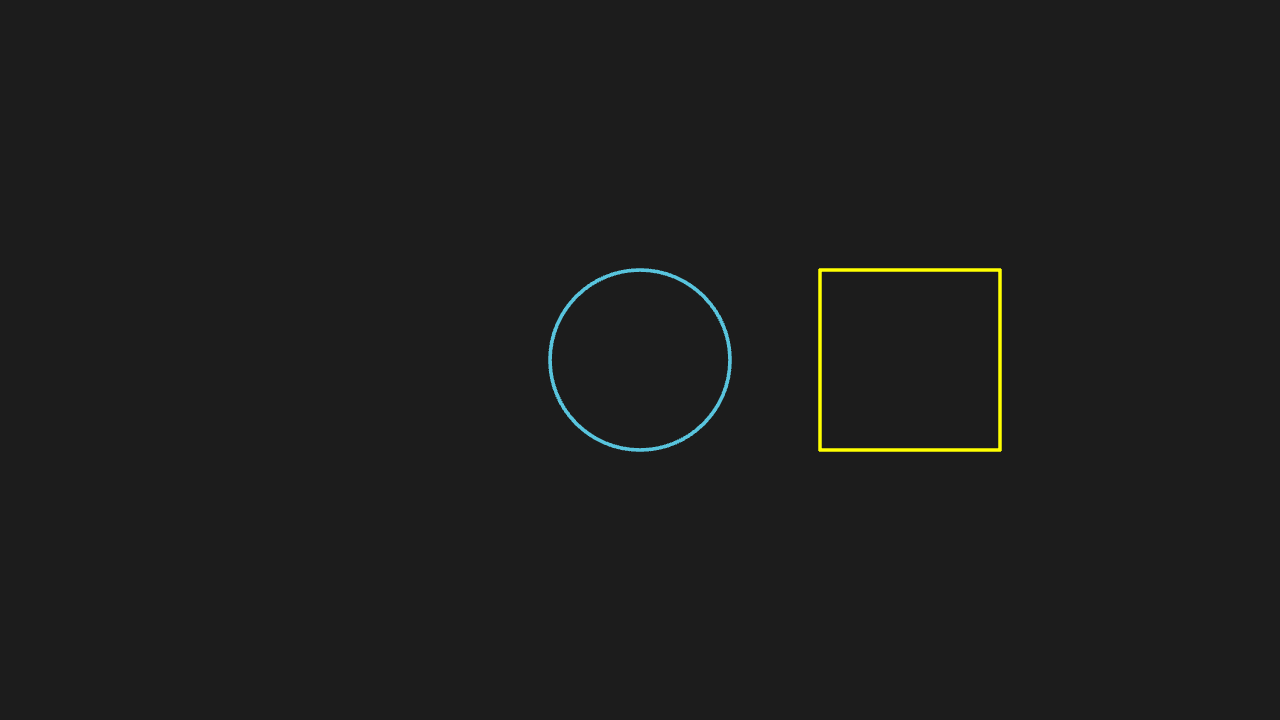
"""AnimationGroup 并行

@expect 组里的几个动画同时进行、同时结束,不逐个来。"""

from manim import *


class AnimationGroupScene(Scene):
    def construct(self):
        c = Circle(radius=1)
        s = Square(side_length=2, color=YELLOW).shift(RIGHT * 3)
        self.play(AnimationGroup(Create(c), Create(s), lag_ratio=0.5))
        self.wait(0.3)
Indicate / Flash / Circumscribe
Indicate 是原地缩放闪一下、Flash 是某点迸一下光、Circumscribe 是绕物体画个圈,三者形态不同。三段高亮都是过程性的——真时序观察;终帧以名字标注区分三者,并给 Circumscribe 留一圈(动画后显式 add 手算 Rectangle)作证。
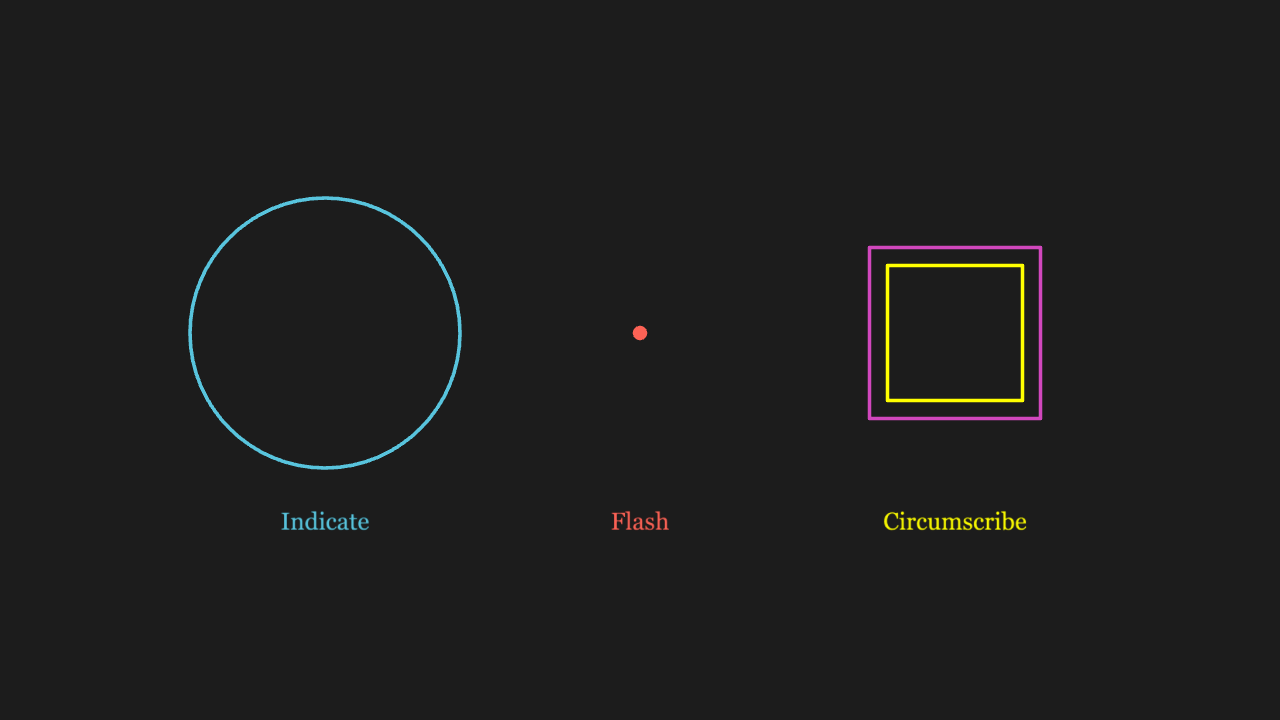
"""Indicate / Flash / Circumscribe

@expect Indicate 是原地缩放闪一下、Flash 是某点迸一下光、Circumscribe 是绕物体画个圈,
        三者形态不同。三段高亮都是过程性的——真时序观察;终帧以名字标注区分三者,
        并给 Circumscribe 留一圈(动画后显式 add 手算 Rectangle)作证。
"""

from manim import *


class IndicateFamilyScene(Scene):
    def construct(self):
        circle = Circle(radius=1.5, color=BLUE)
        circle.move_to([-3.5, 0.3, 0])
        dot = Dot(color=RED)
        dot.move_to([0, 0.3, 0])
        square = Square(side_length=1.5, color=YELLOW)
        square.move_to([3.5, 0.3, 0])
        self.add(circle, dot, square)

        c_label = Text("Indicate", font_size=26, color=BLUE)
        c_label.move_to([-3.5, -1.8, 0])
        f_label = Text("Flash", font_size=26, color=RED)
        f_label.move_to([0, -1.8, 0])
        s_label = Text("Circumscribe", font_size=26, color=YELLOW)
        s_label.move_to([3.5, -1.8, 0])
        self.add(c_label, f_label, s_label)

        self.play(Indicate(circle), Flash(dot), Circumscribe(square))
        # Circumscribe 的圈是过程性的,动画后手算一个矩形圈留在画面作证
        ring = Rectangle(width=1.9, height=1.9, color=PINK)
        ring.move_to([3.5, 0.3, 0])
        self.add(ring)
        self.wait(0.3)
MoveAlongPath 沿路径走
点贴着给定路径曲线走,不是走直线。
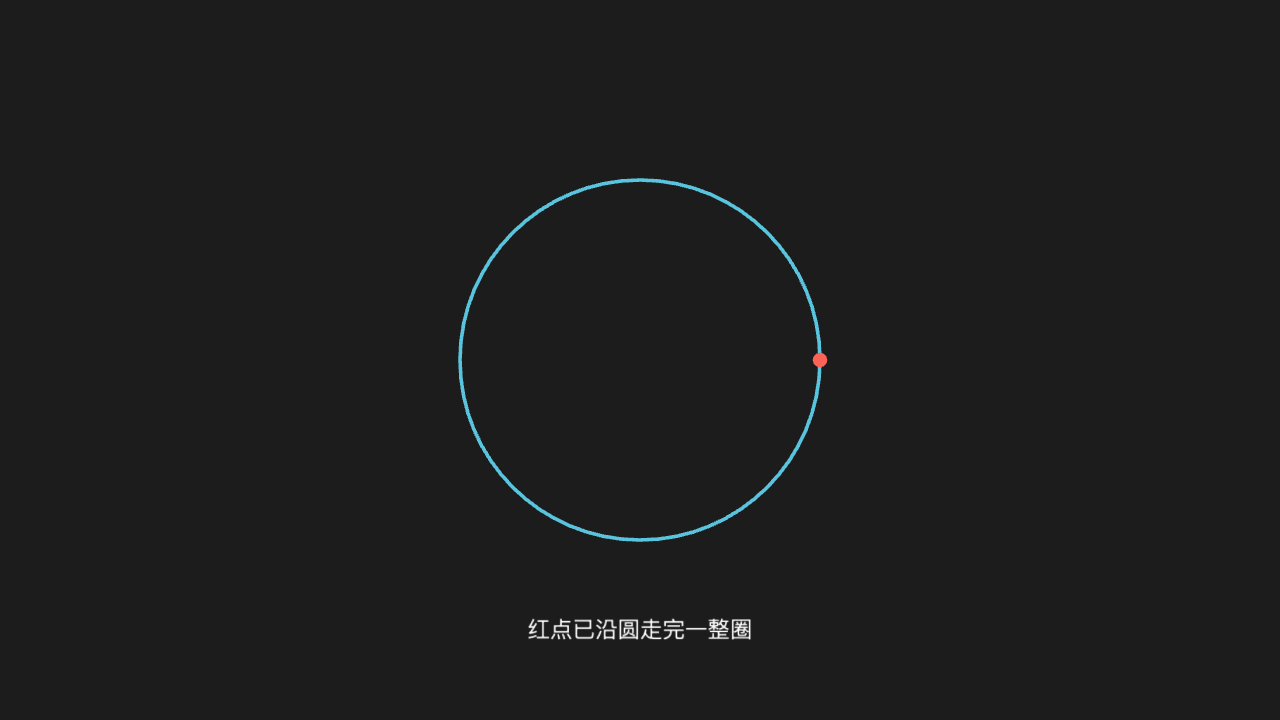
"""MoveAlongPath 沿路径走

@expect 点贴着给定路径曲线走,不是走直线。"""

from manim import *


class MoveAlongPathScene(Scene):
    def construct(self):
        circle = Circle(radius=2, color=BLUE)
        dot = Dot(point=[2, 0, 0], color=RED)
        self.add(circle, dot)
        self.play(MoveAlongPath(dot, circle), run_time=2)
        self.add(Text("红点已沿圆走完一整圈", font_size=24).move_to([0, -3, 0]))
        self.wait(0.3)
Rotating 绕轴转
物体绕指定轴连续转过去(多圈/指定角度),不是瞬间转到位。
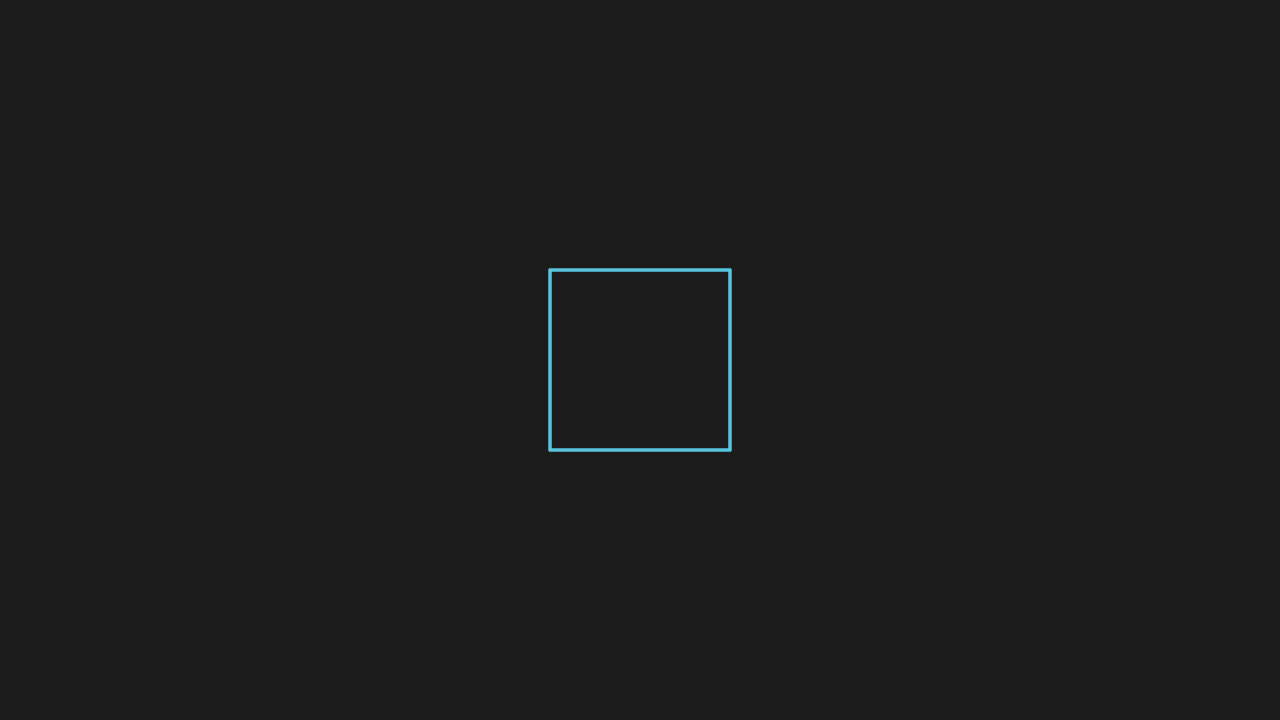
"""Rotating 绕轴转

@expect 物体绕指定轴连续转过去(多圈/指定角度),不是瞬间转到位。"""

from manim import *


class RotatingScene(Scene):
    def construct(self):
        square = Square(side_length=2)
        self.play(Create(square))
        self.play(Rotating(square, angle=PI, run_time=2))
        self.wait(0.3)
ScaleInPlace 缩放
物体原地放大或缩小,中心不动。
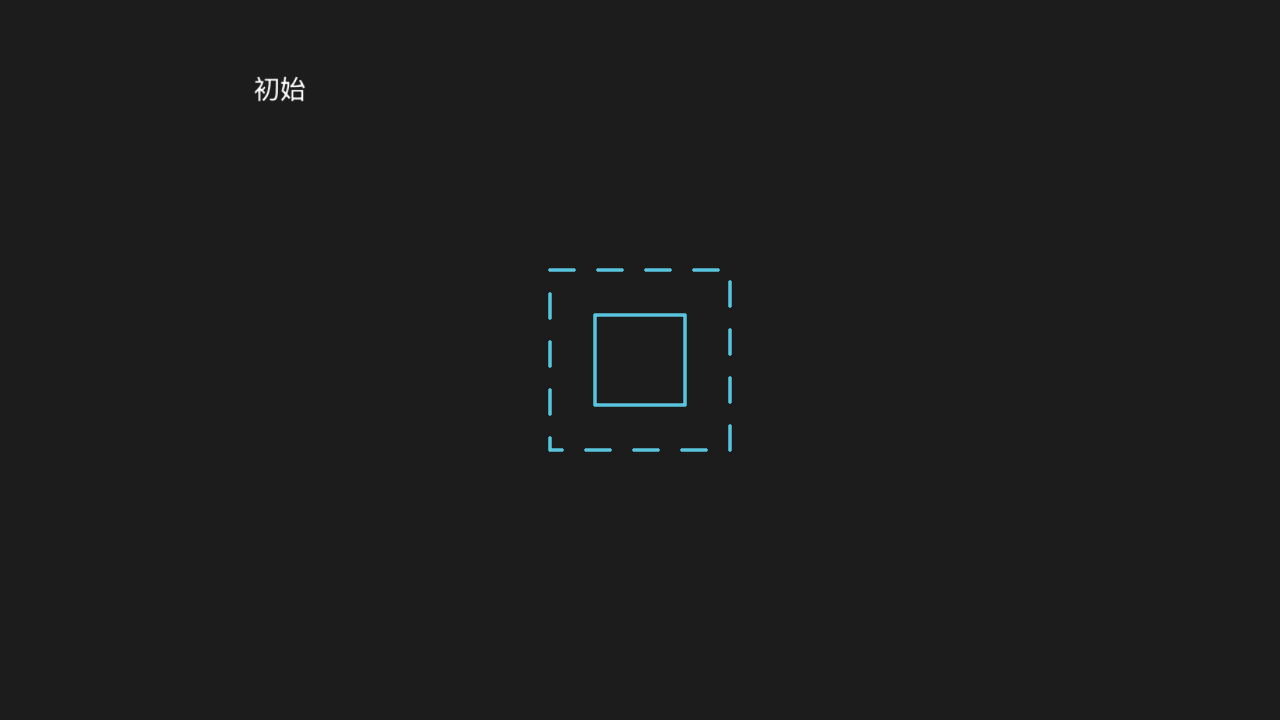
"""ScaleInPlace 缩放

@expect 物体原地放大或缩小,中心不动。"""

from manim import *


class ScaleInPlaceScene(Scene):
    def construct(self):
        square = Square(side_length=2, color=BLUE)
        self.add(DashedVMobject(Square(side_length=2)).move_to([0, 0, 0]))
        self.add(Text("初始", font_size=28).move_to([-4, 3, 0]))
        self.play(Create(square))
        self.play(ScaleInPlace(square, 0.5), run_time=1.5)
        self.wait(0.3)
DrawBorderThenFill 描边后填充
先只描出轮廓线,随后填充色才填进来——两个阶段看得出来。「轮廓先行、填充后到」是过程性的——真时序观察;适配层在动画终态不落填充,故动画后再补一条 set_fill 动画,终帧为填满黄色的方块。
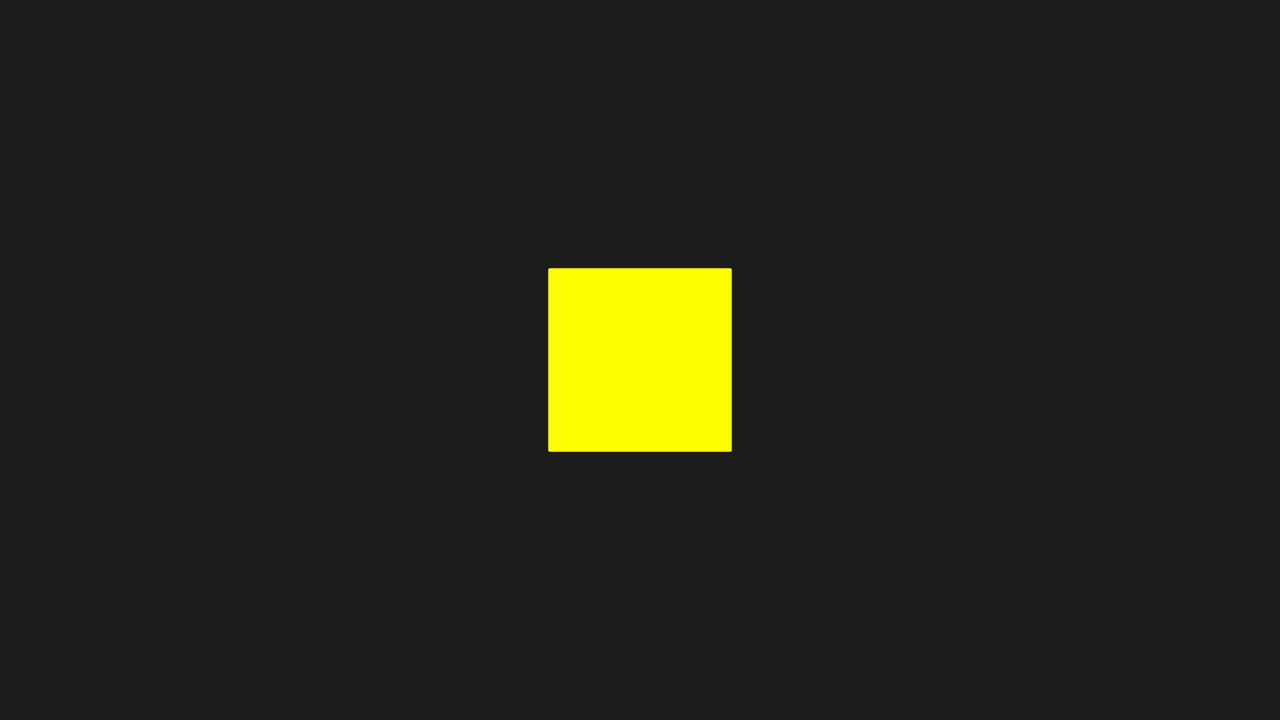
"""DrawBorderThenFill 描边后填充

@expect 先只描出轮廓线,随后填充色才填进来——两个阶段看得出来。
        「轮廓先行、填充后到」是过程性的——真时序观察;适配层在动画终态
        不落填充,故动画后再补一条 set_fill 动画,终帧为填满黄色的方块。
"""

from manim import *


class DrawBorderScene(Scene):
    def construct(self):
        square = Square(side_length=2, color=YELLOW)
        self.play(DrawBorderThenFill(square))
        # 终态填充适配层不落、play 外改属性不重绘,用 .animate 补一次填充
        self.play(square.animate.set_fill(YELLOW, 1.0), run_time=0.6)
        self.wait(0.3)
ApplyMatrix 矩阵变换
物体被矩阵扭曲出斜切/旋转形变,不是平移或等比缩放。
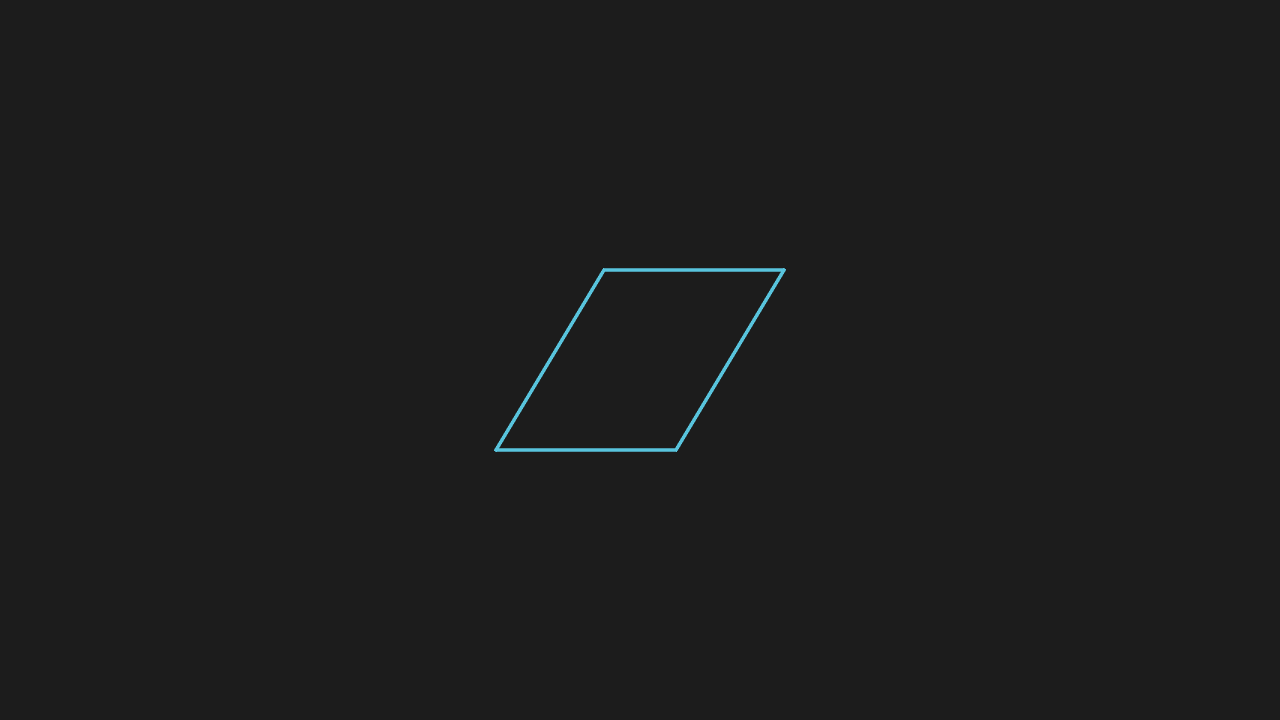
"""ApplyMatrix 矩阵变换

@expect 物体被矩阵扭曲出斜切/旋转形变,不是平移或等比缩放。
@note CE 是 ApplyMatrix(matrix, mobject),manim-web 的工厂反着收
"""

from manim import *


class ApplyMatrixScene(Scene):
    def construct(self):
        square = Square(side_length=2, color=BLUE)
        self.add(square)
        self.play(ApplyMatrix([[1, 0.6], [0, 1]], square))
        self.wait(0.3)
FadeIn / FadeOut
FadeIn 是从透明渐显、FadeOut 是渐隐到消失,其余状态不变。渐显/渐隐是过程性的——真时序观察;终帧可读的证据:顶部标题全程在场作参照,FadeIn 的三角保持可见,FadeOut 的圆终态消失。
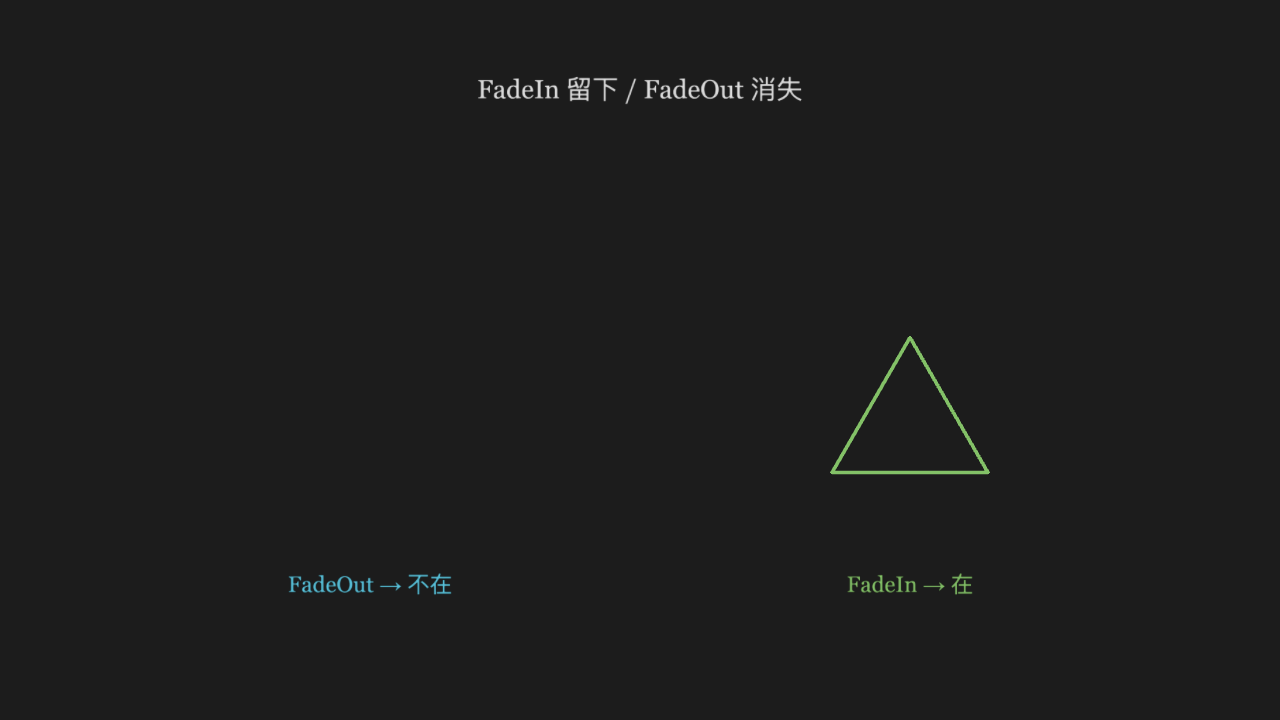
"""FadeIn / FadeOut

@expect FadeIn 是从透明渐显、FadeOut 是渐隐到消失,其余状态不变。
        渐显/渐隐是过程性的——真时序观察;终帧可读的证据:
        顶部标题全程在场作参照,FadeIn 的三角保持可见,FadeOut 的圆终态消失。
"""

from manim import *


class FadeFamilyScene(Scene):
    def construct(self):
        title = Text("FadeIn 留下 / FadeOut 消失", font_size=28, color=GREY_A)
        title.move_to([0, 3.0, 0])
        self.add(title)

        circle = Circle(radius=1.2, color=BLUE)
        circle.move_to([-3, -0.5, 0])
        triangle = Triangle(color=GREEN)
        triangle.move_to([3, -0.5, 0])
        c_label = Text("FadeOut → 不在", font_size=24, color=BLUE)
        c_label.move_to([-3, -2.5, 0])
        t_label = Text("FadeIn → 在", font_size=24, color=GREEN)
        t_label.move_to([3, -2.5, 0])
        self.play(FadeIn(circle, shift=UP * 0.5), FadeIn(triangle), FadeIn(c_label), FadeIn(t_label))
        self.play(FadeOut(circle))
        self.wait(0.3)
GrowFromEdge / GrowFromCenter
GrowFromCenter 从中心冒出来,GrowFromEdge 沿指定边长出来,方向不同。
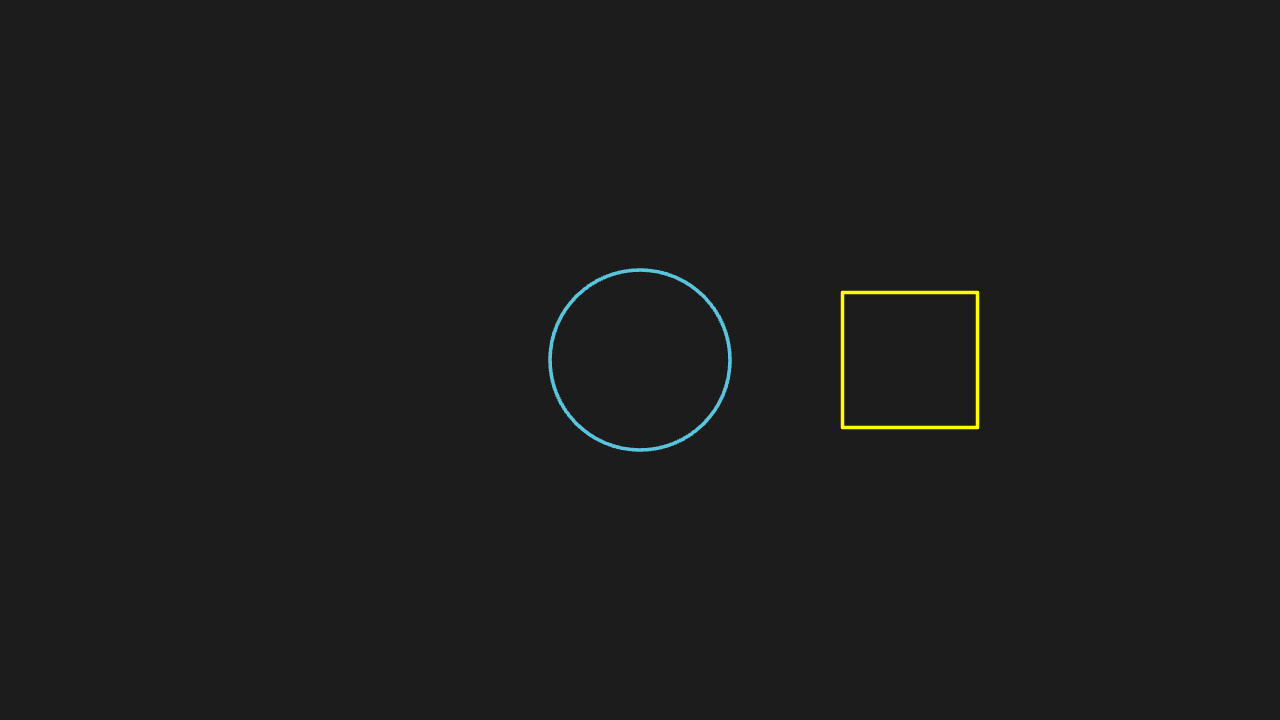
"""GrowFromEdge / GrowFromCenter

@expect GrowFromCenter 从中心冒出来,GrowFromEdge 沿指定边长出来,方向不同。"""

from manim import *


class GrowFamilyScene(Scene):
    def construct(self):
        circle = Circle(radius=1, color=BLUE)
        square = Square(side_length=1.5, color=YELLOW).shift(RIGHT * 3)
        self.play(GrowFromEdge(circle, LEFT), GrowFromCenter(square))
        self.wait(0.3)